
Seller Users & Roles
Larger stores are rarely run by one person. The Multi Vendor Marketplace lets a seller add team members (users) to their store and control exactly what each member can do through roles. This keeps the store secure while letting sellers delegate day-to-day work.
Both screens live under the seller panel Settings menu.
Roles
A role is a named set of permissions. Sellers create roles and assign them to their team members.
Create a Role
Go to Settings → Roles and click Create Role, then provide:
Name: A label for the role (e.g. Catalog Manager, Order Staff).
Description: A short note describing what the role is for.
Permission Type:
- All — the role can access every seller-panel section.
- Custom — pick exactly which sections the role may use from the permission tree (Products, Orders, Transactions, Settings, etc.). When you tick a permission, its parent sections are selected automatically so access stays consistent.
Click Save to create the role.
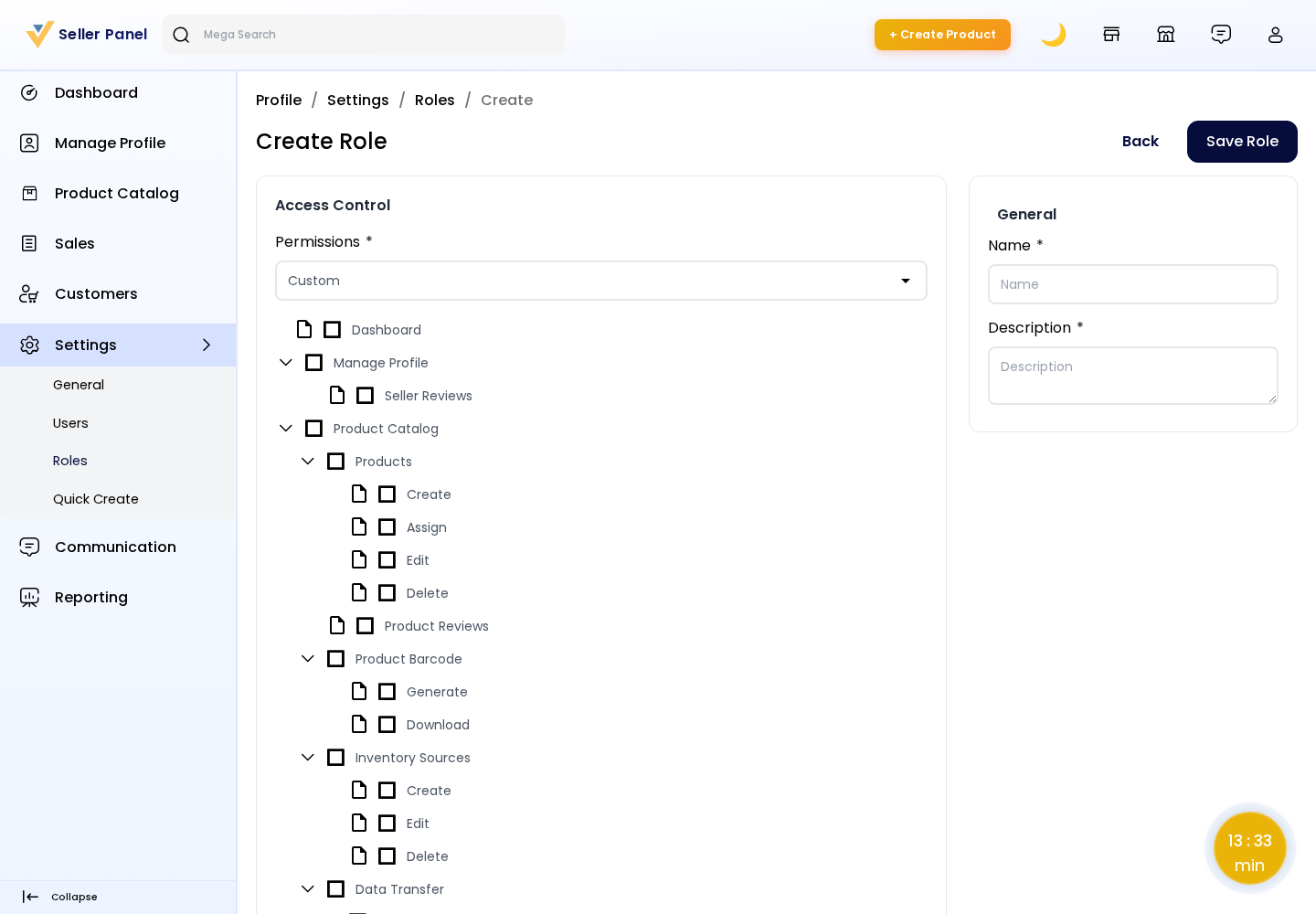
Tip: Use Custom roles to give staff only what they need — for example, a role that can manage products but cannot view transactions or change store settings.
Edit or Delete
Sellers can update a role's permissions at any time, or delete a role that is no longer needed. Changing a role from All to Custom re-applies the newly selected permission set to everyone holding that role.
Users (Team Members)
Users are the people who log in to the seller store. Each user is assigned a role that defines their access.
Add a User
Go to Settings → Users and click Create User, then provide:
Name: The team member's name.
Email: Their login email address (must be unique).
Password / Confirm Password: Set the account password. (When editing an existing user, leaving the password blank keeps the current one.)
Role: Choose one of the roles created above to control the user's access.
Status: Enable or disable the account.
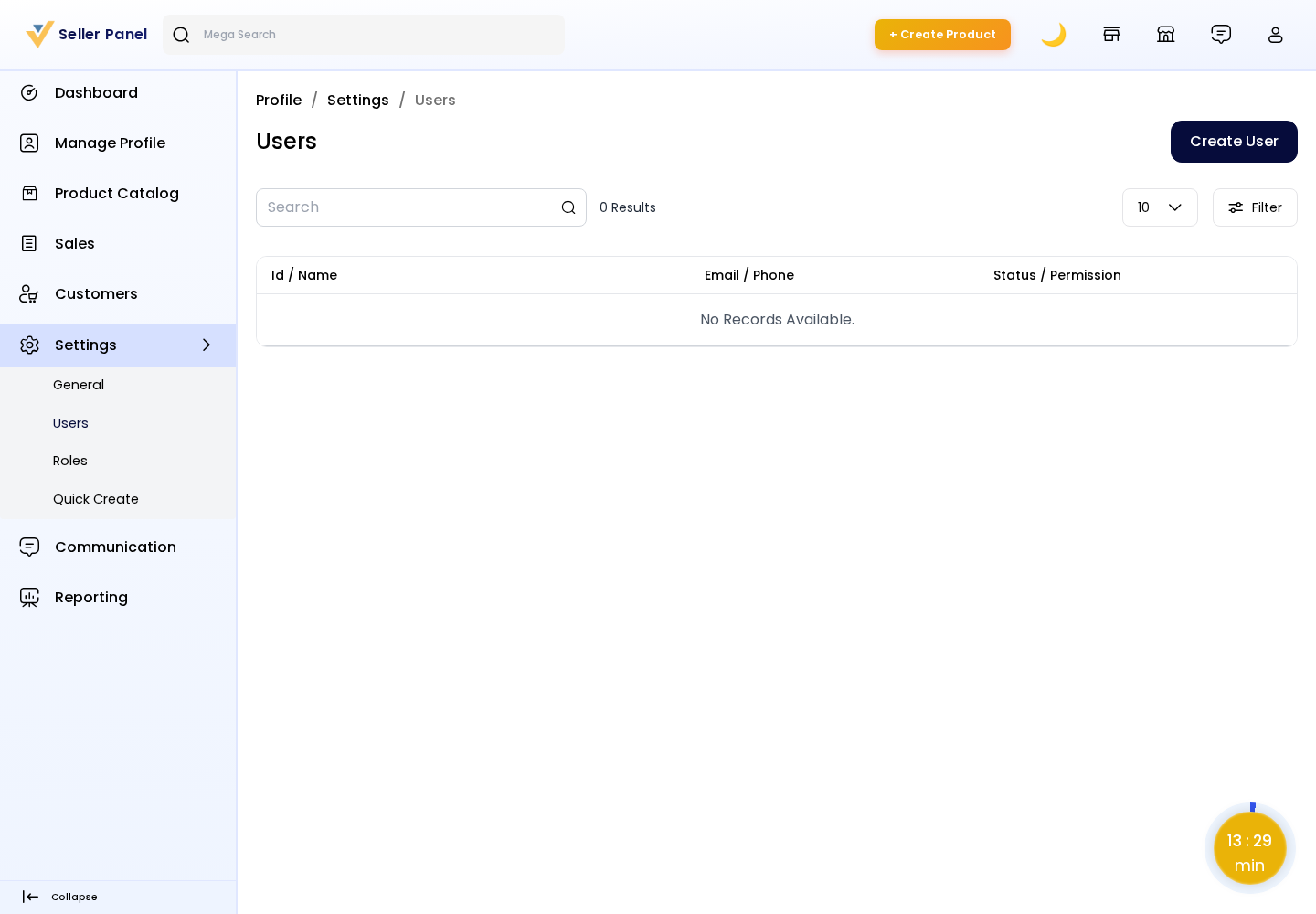
Click Save to create the user. They can now sign in to the seller panel with the permissions granted by their role.
Edit or Delete
Sellers can update a user's details, change their role, reset their password, or remove the user entirely.
Note: The original seller account is the owner and always retains full access. Added users are sub-accounts whose access is limited by their assigned role.