
Rich Snippets
Rich snippets are structured data added to storefront pages, so search engines can show extra details, such as a product's price or rating, in their results. These settings apply to the whole store.
Products
Product structured data is added to each product page. It always includes the product's name, description and link, and the switches below add more details.
- Go to Configure >> Catalog >> Rich Snippets.
- In Products, switch Enable on.
- Switch on each detail you want to include, described below.
- Click Save Configuration.
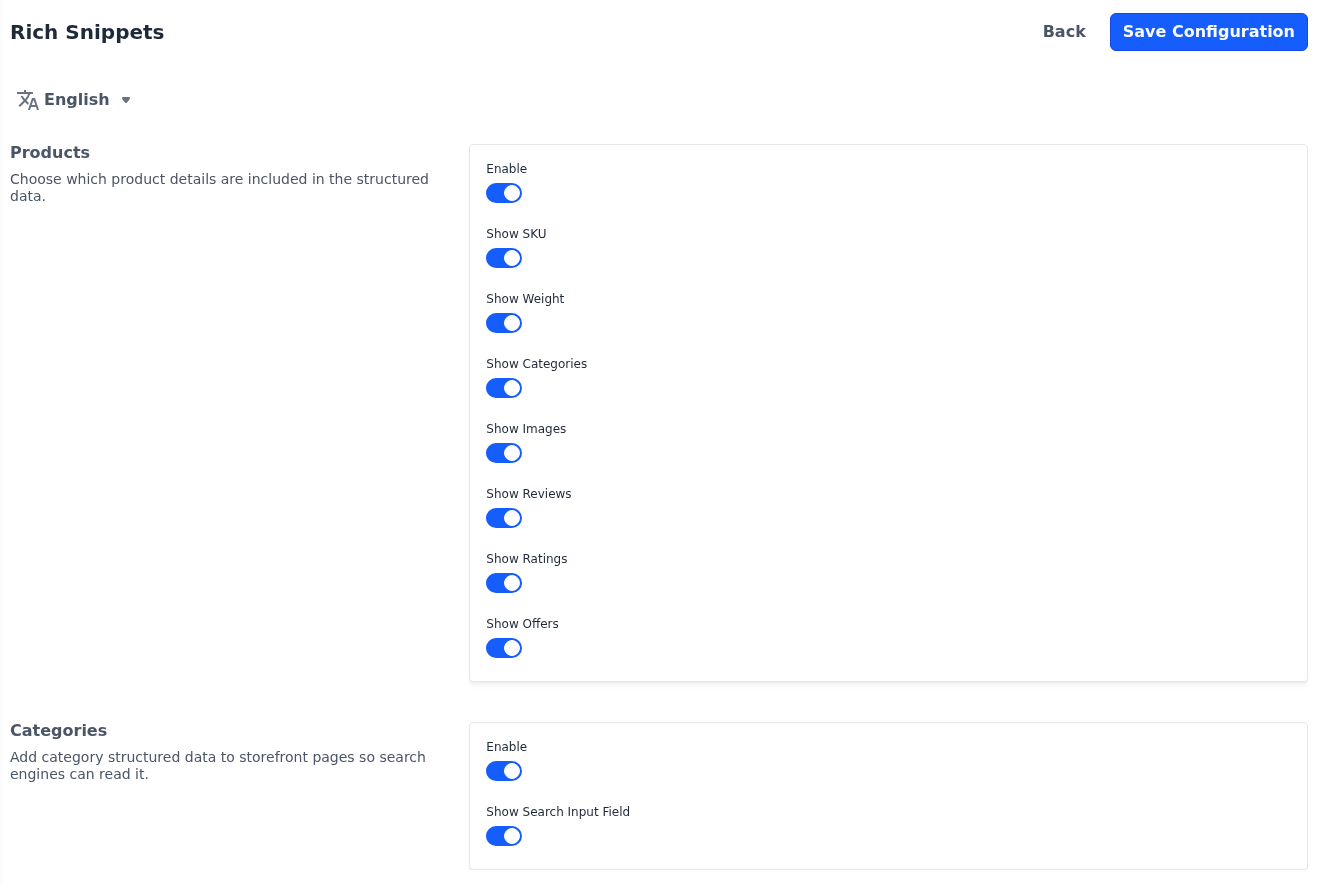
| Setting | What it adds |
|---|---|
| Show SKU | The product's SKU. |
| Show Weight | The product's weight. |
| Show Categories | The names of the product's categories. |
| Show Images | Links to the product's images. |
| Show Reviews | The product's approved reviews, with each reviewer's name and rating. |
| Show Ratings | The average rating and the number of reviews. |
| Show Offers | The product's price, in the currency the page is shown in. For a product with options, the lowest price. |
Categories
- Go to Configure >> Catalog >> Rich Snippets.
- In Categories, switch Enable on. Category pages then describe your storefront to search engines as a website.
- Switch Show Search Input Field on to also describe your storefront search, so search engines can offer a search box for your store in their results.
- Click Save Configuration.