
Inventory Source Management
Inventory sources let a seller define the physical locations (warehouses, stores, or pickup points) from which their stock is held and shipped. Each product's quantity can then be tracked per source, giving sellers accurate stock control across multiple locations.
Where to find it
From the seller panel, go to Product Catalog → Inventory Sources.
The page lists all of the seller's inventory sources with their status, and provides options to create, edit, and delete sources.
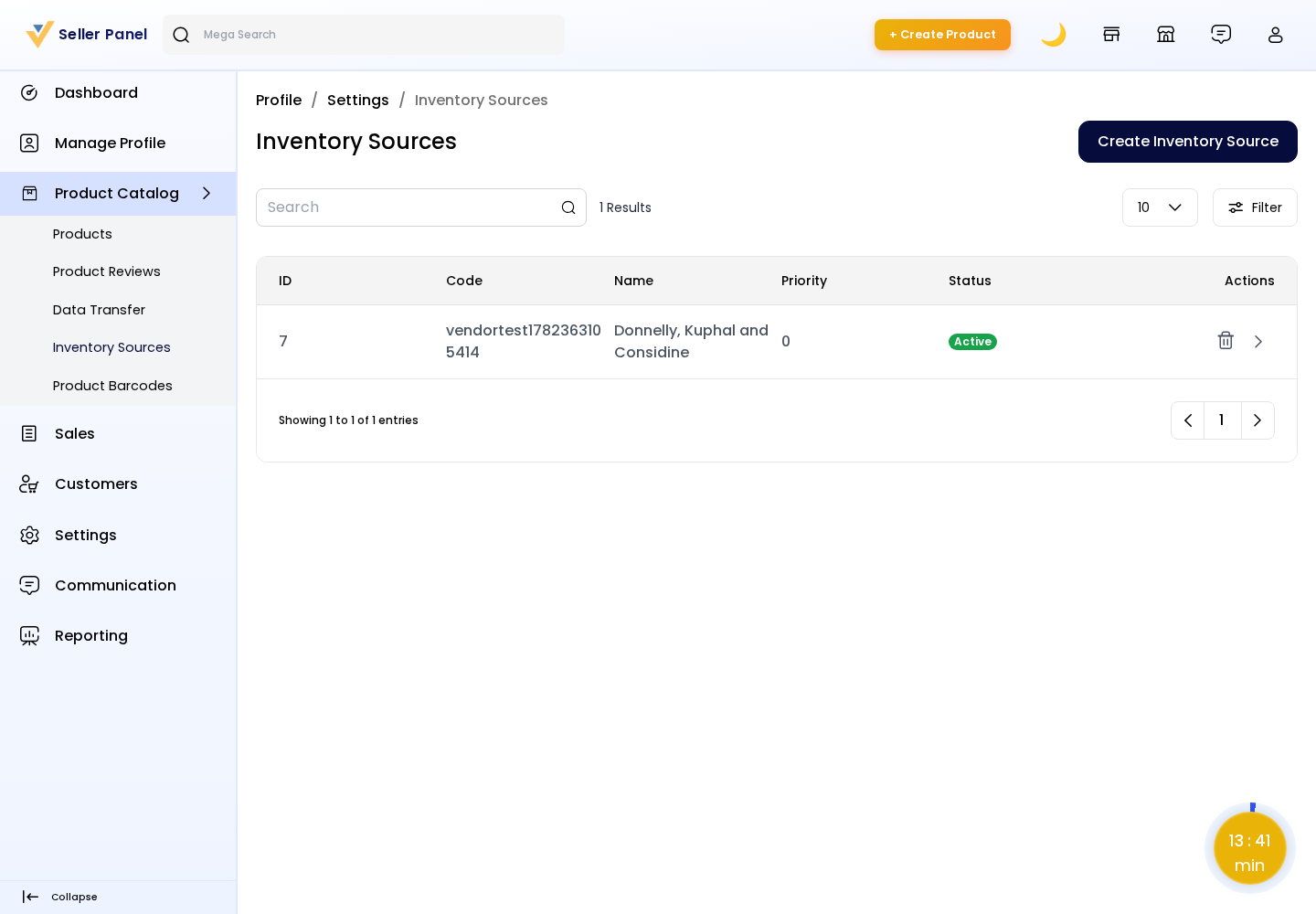
Create an Inventory Source
Click Create Inventory Source and fill in the details:
Code: A unique identifier for the source (used internally to map stock).
Name: A readable name for the location (e.g. Main Warehouse).
Contact Information: Contact name, email, and phone for the location.
Address: Street, country, state, city, and postcode of the source.
Priority: The order in which sources are considered when allocating stock.
Status: Enable or disable the source. Only active sources are used for inventory.
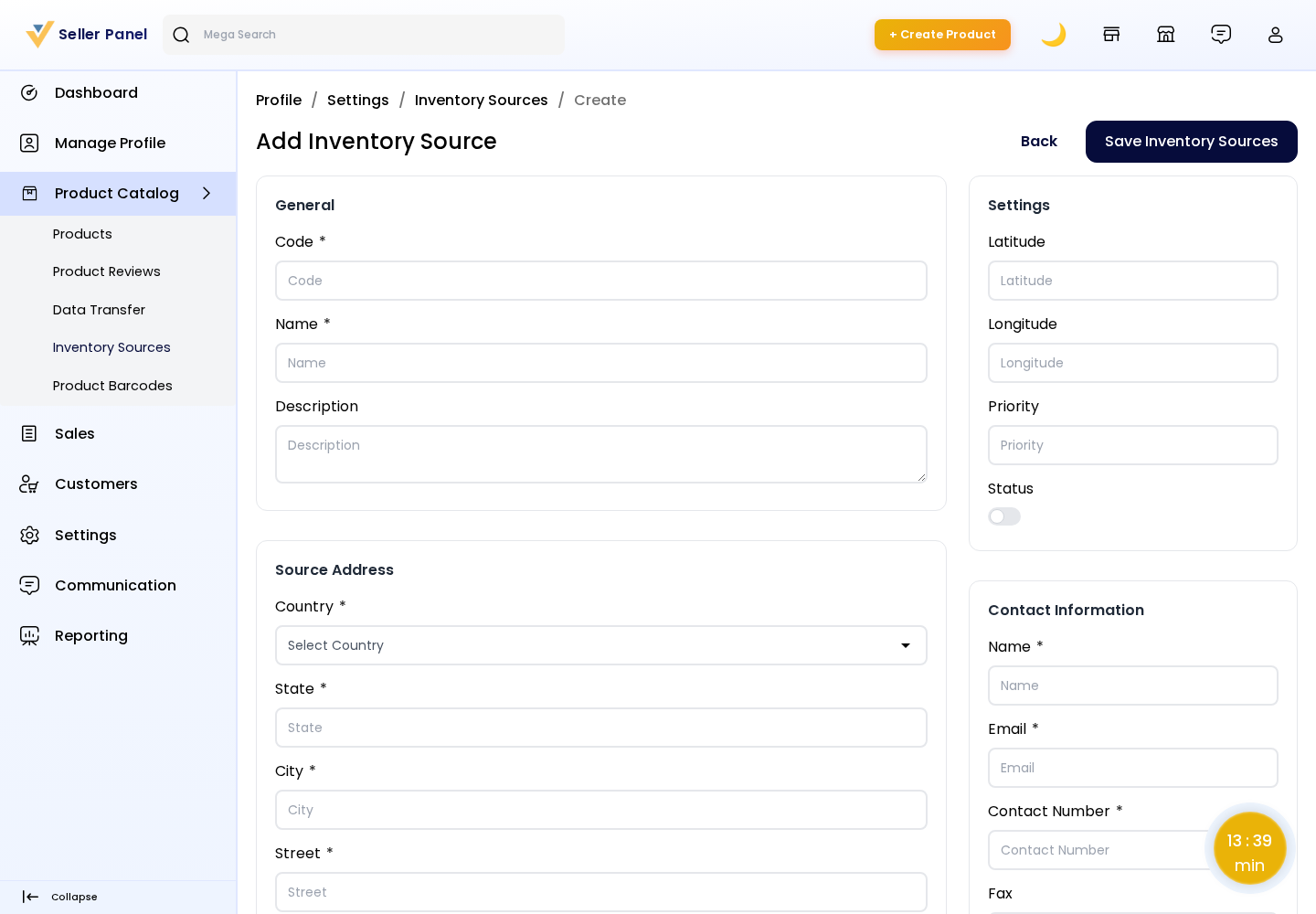
Click Save to create the source. It then becomes selectable when sellers set per-source stock quantities on the product Inventories section.
Edit or Delete
Use the edit action to update a source's details or toggle its status.
Use the delete action to remove a source that is no longer used.
Note: Inventory entered on a product's Inventories tab is recorded against the seller's inventory sources, so the storefront stock reflects the combined available quantity across active sources.