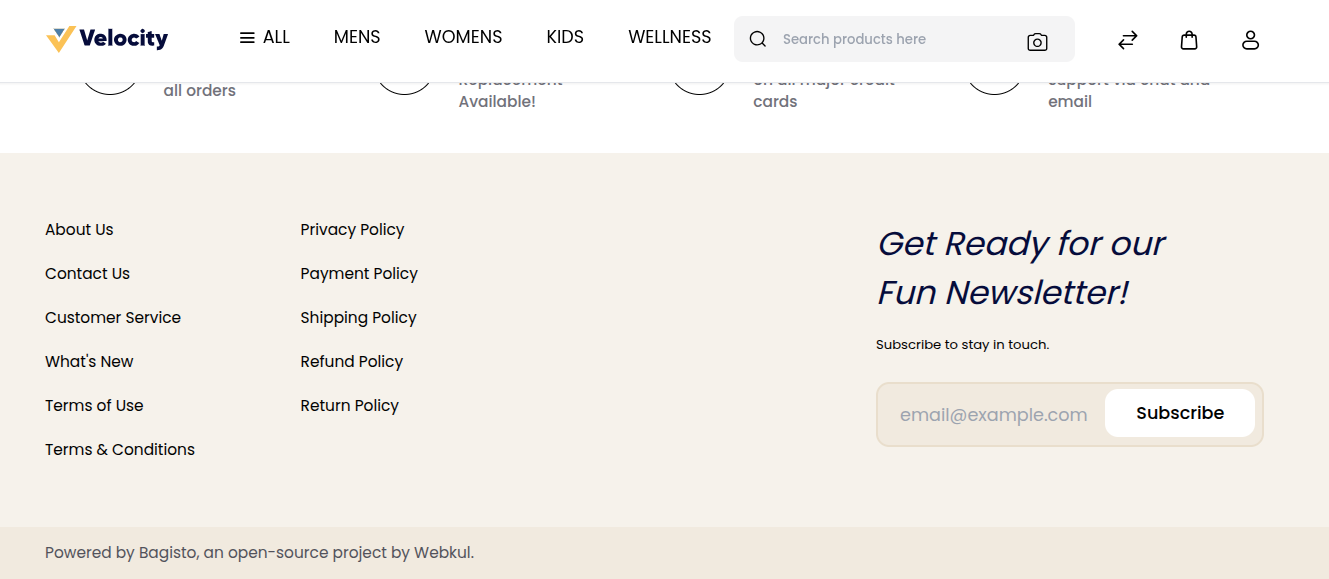
Coyright Content
Setting up the copyright information in your website's footer is a key step in safeguarding your intellectual property and showing clear ownership of your online content.
By having a well-formatted copyright notice, you let visitors know that the content, design, images, and other materials on your site are legally protected.
This not only helps prevent unauthorized use or copying but also shows professionalism and builds trust with your audience.
By including your brand name, the current year, and a brief rights statement in the footer, you ensure that your brand is visible on every page of your website.
Steps to Add Coyright Content
To add Coyright Content, go to the Admin panel: Configure >> Content.
You will see the textbox to add the Copyright Content as shown in the image below.
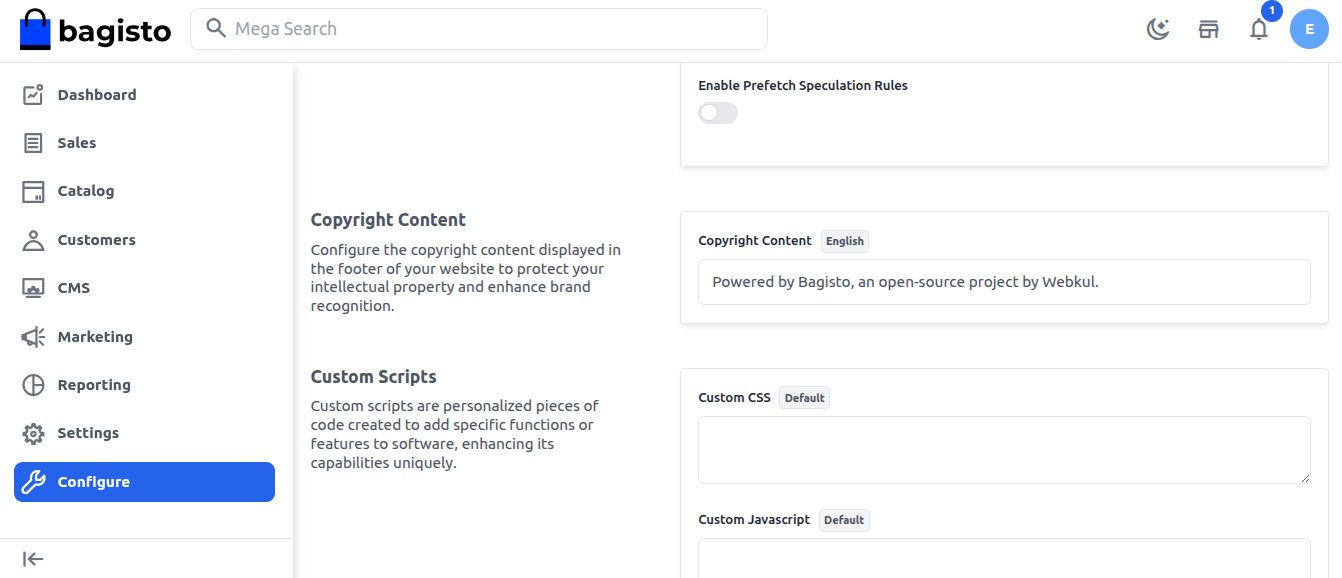
At last click on Save Configuration button.
After this, you can go to the storefront footer of your Bagisto website and check that your copyright content has been successfully added.