
Quick Create Product
Quick Create lets sellers add a ready-to-edit product in a single click, without filling in the full create form every time. The new product is pre-filled from the seller's saved defaults (and sensible fallback values) and opens directly on the product edit page, where the seller can fine-tune the remaining details and save.
This is ideal for sellers who list many similar products and want to skip the repetitive type/family/attribute selection on every creation.
Configure Quick Create Defaults
Before using the one-click button, sellers set up their defaults from Settings → Quick Create in the seller panel.
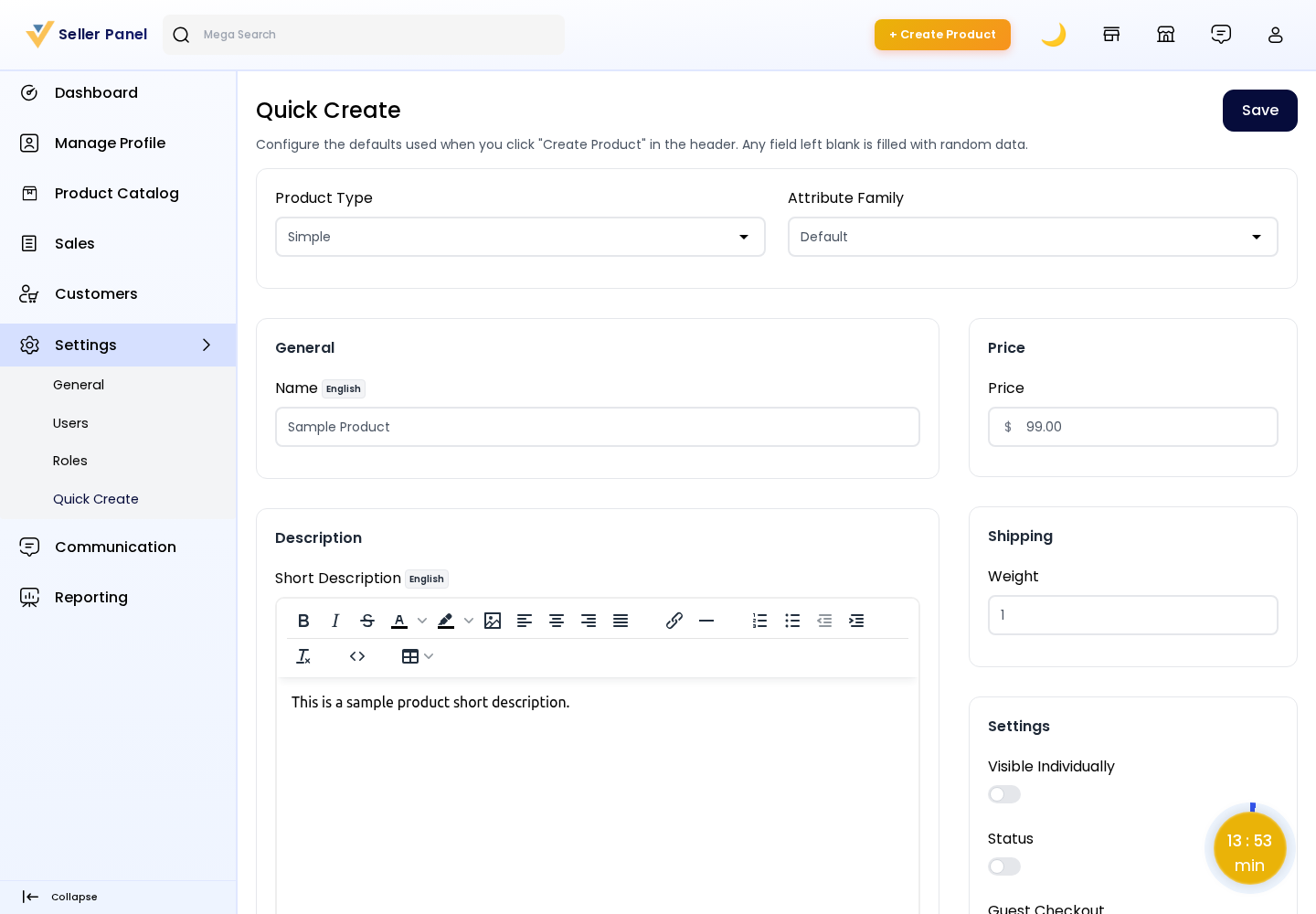
On this page, sellers configure:
Product Type: The default type used for quick-created products (for example, Simple).
Attribute Family: The attribute family that defines the product's structure.
Attribute Values: Default values for the family's attributes (channel and locale aware), such as tax category, weight, or any custom attribute. These values pre-fill every quick-created product.
After setting the defaults, click Save to store them. The settings are saved per seller, so each seller maintains their own Quick Create profile.
Create a Product in One Click
Once defaults are configured, a Quick Create button appears in the seller header.

Click Quick Create in the header.
The marketplace instantly creates a product using your saved type, attribute family, and attribute values.
You are redirected straight to the product edit page, where you can adjust the name, price, images, inventory, categories, and any other details.
Click Save Product to finalise. As with any seller product, it remains in a Disapproved state until the admin reviews and approves it.
Availability: The Quick Create button is shown only when the Seller can create product configuration is enabled and the seller holds the product create permission (
Product Catalog → Products → Create). Sellers without that permission will not see the button.
Note: Quick Create complements the standard Add New Product and Add Existing Product flows — it does not replace them. Use Quick Create for speed, and the full form when you need to configure everything up front.