Seller Attributes
Seller Attributes are custom fields created by the admin to collect additional information about sellers, beyond basic details.
These attributes help store specific seller data such as shop details, contact information, or business related fields.
The admin decides which seller attributes must be filled out and where they show up, like during seller registration or in the seller's profile.
Sellers complete these attributes when they sign up or update their profile, depending on what the admin has set up.
Seller attributes help organize seller profiles better and let the marketplace show important seller information clearly.
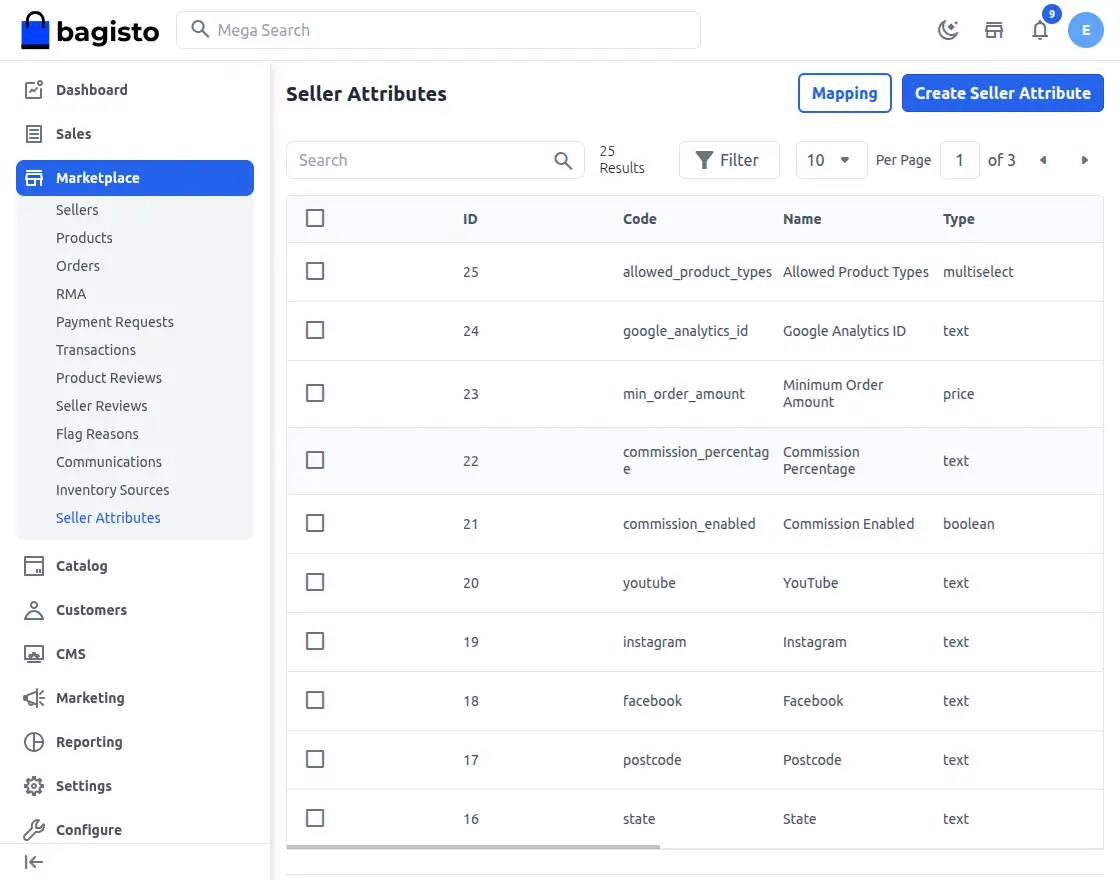
Admins can easily view all existing seller attributes and create new ones as needed for sellers.
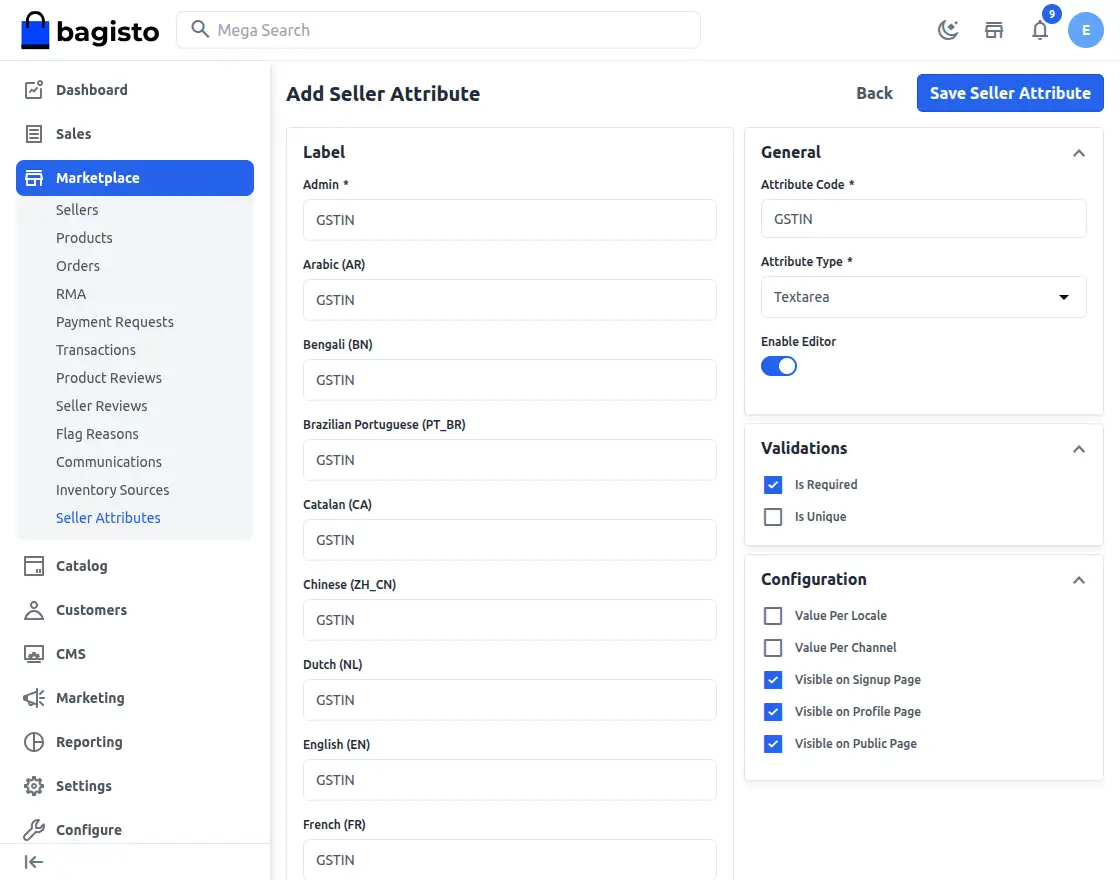
1) Visible on Signup Page: This attribute is shown on the seller registration page during signup.
2) Visible on Profile Page: This attribute is shown on the seller profile page when updating details.
3) Visible on Public Page: This attribute is shown on the seller’s public profile on the storefront.
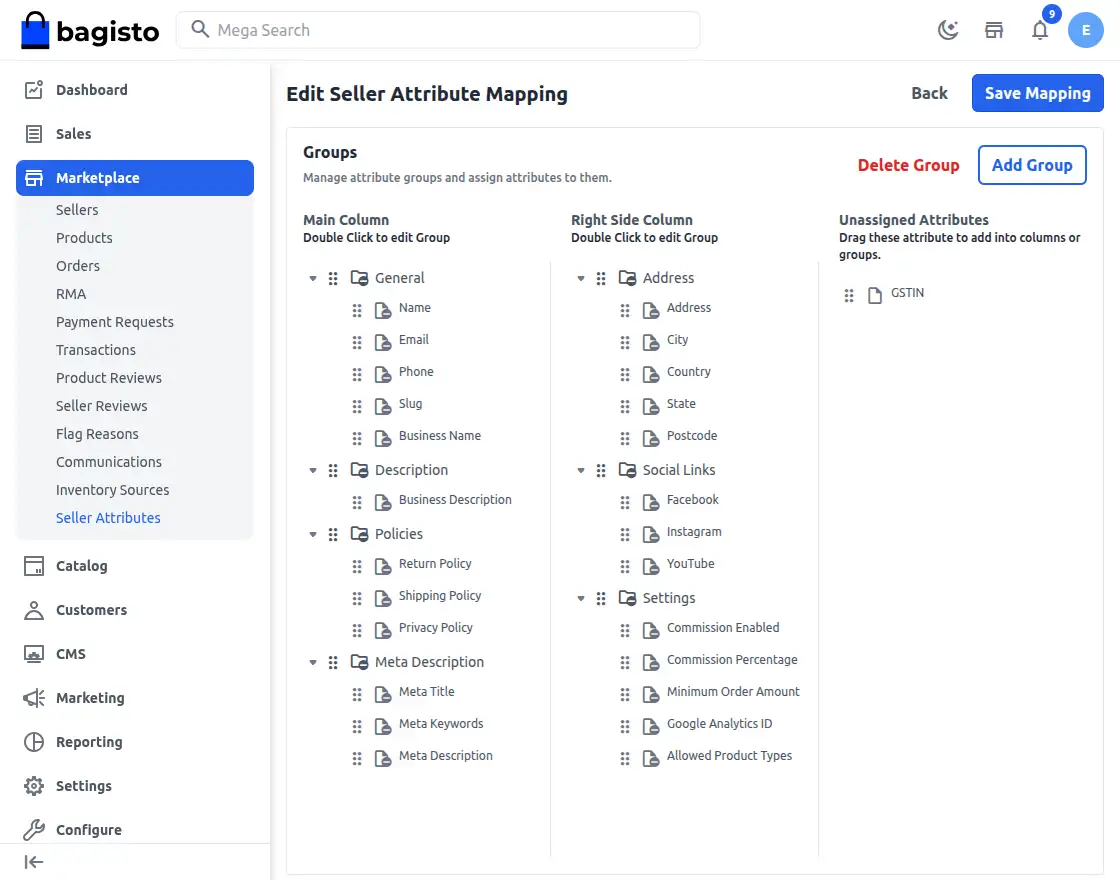
Mapping of the Seller Attributes:
Step 1: Create the required attributes.
Step 2: Drag and drop the Mapping button to assign the attributes to the appropriate group.
Seller Dashboard
Sellers can access a dedicated dashboard to manage their activities by opening the marketplace and clicking the Open Shop button.
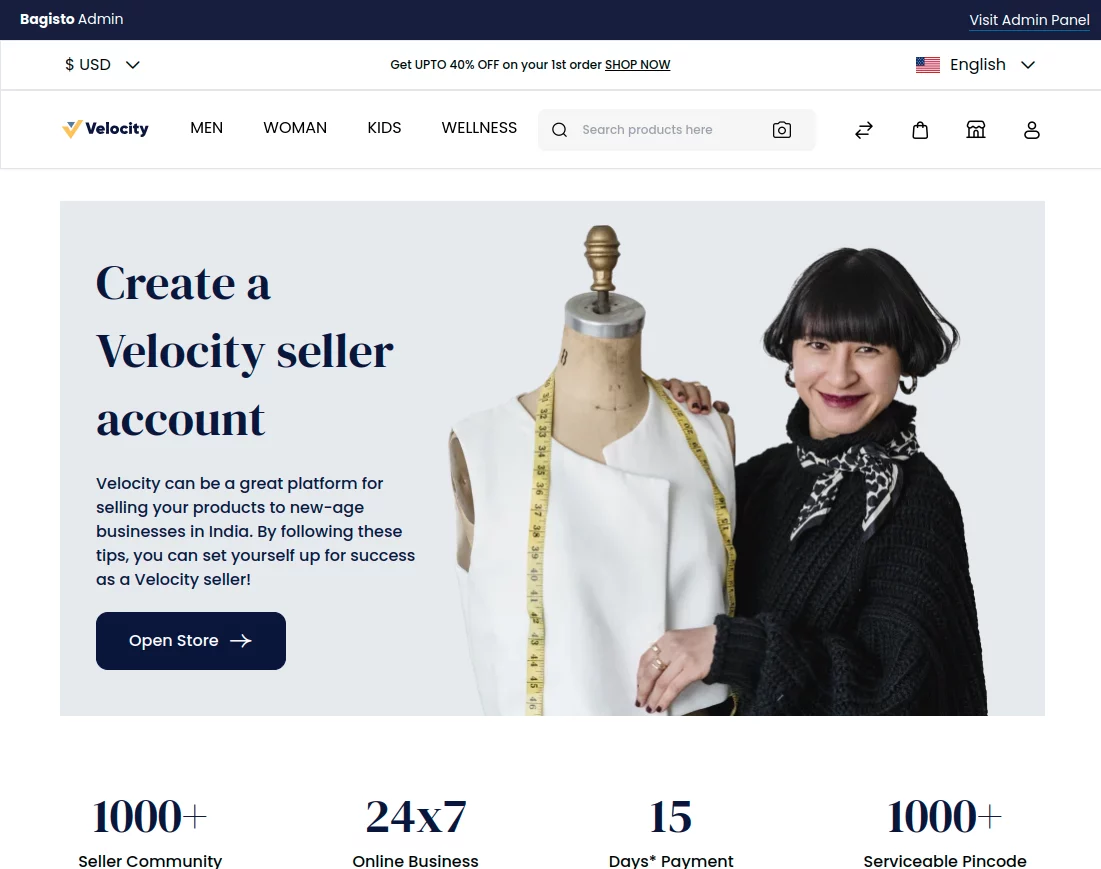
It will be redirected to the seller registration page to sign up as a seller.
Customers can then create their seller account by entering the required details, including their Shop URL.
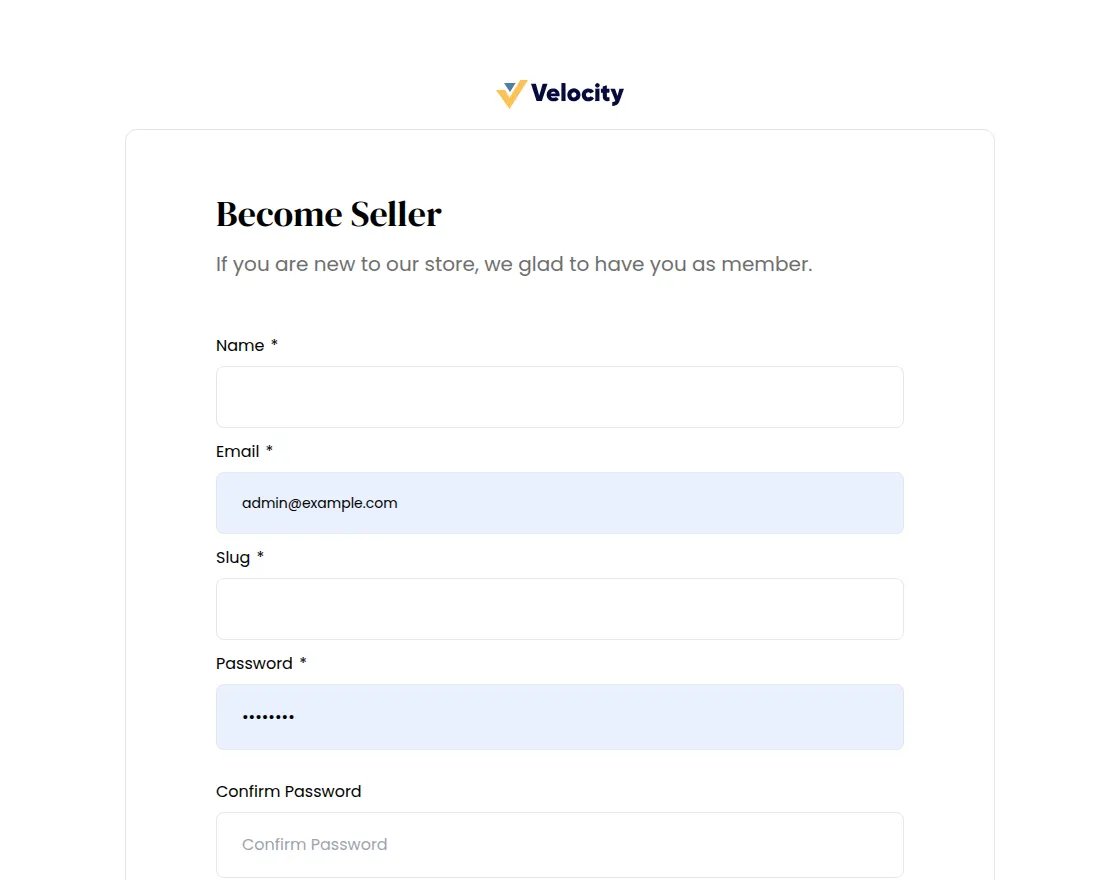
Add the additional information, and after filling in all the required details, click the Register button.
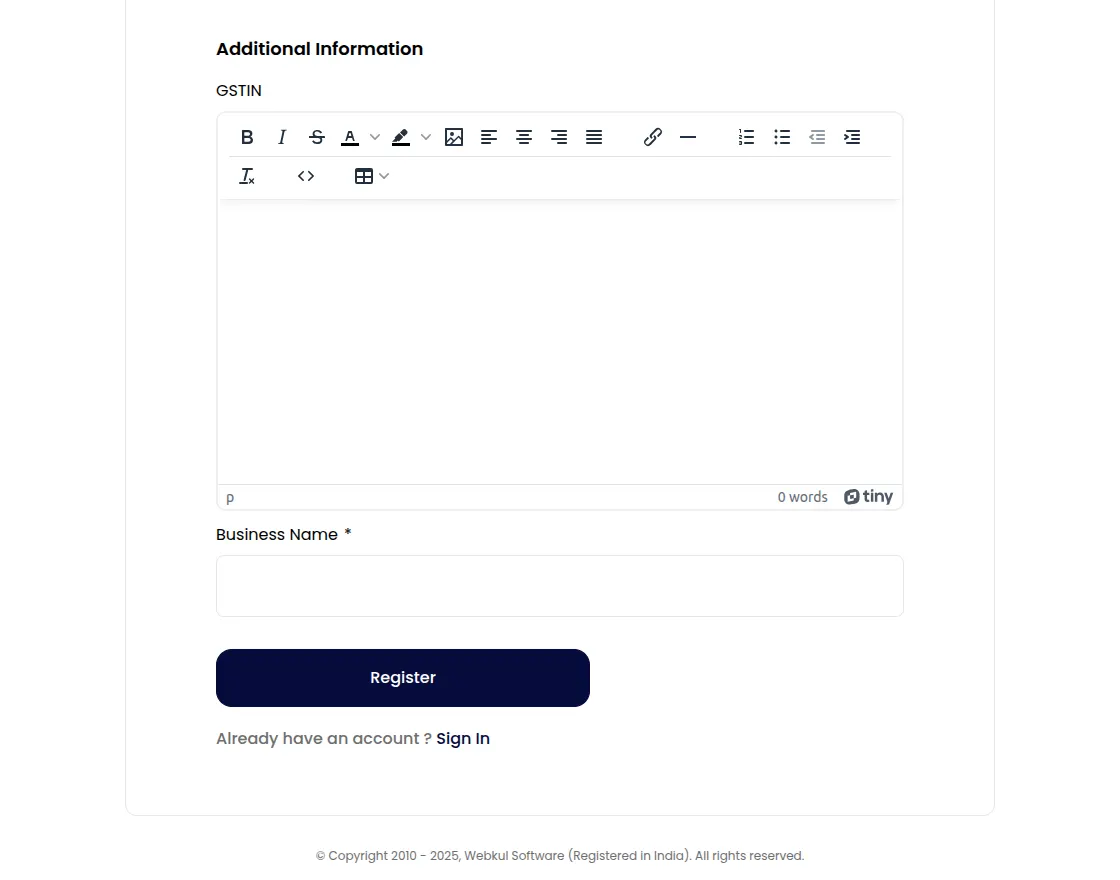
After registration, your seller account is created, and you can log in to the seller dashboard by clicking the Sign In button.