
Sales Representatives
The Sales Representative feature lets you assign an admin user to manage specific companies. A sales representative becomes the point of contact for their companies — they handle quotation negotiations, receive the related email notifications, and (for non-super-admin users) only see the data for the companies they manage.
Note: A sales representative is an admin user. Any admin user can be assigned as a company's sales representative.
Assigning a Sales Representative
There are two ways to assign a sales representative to a company.
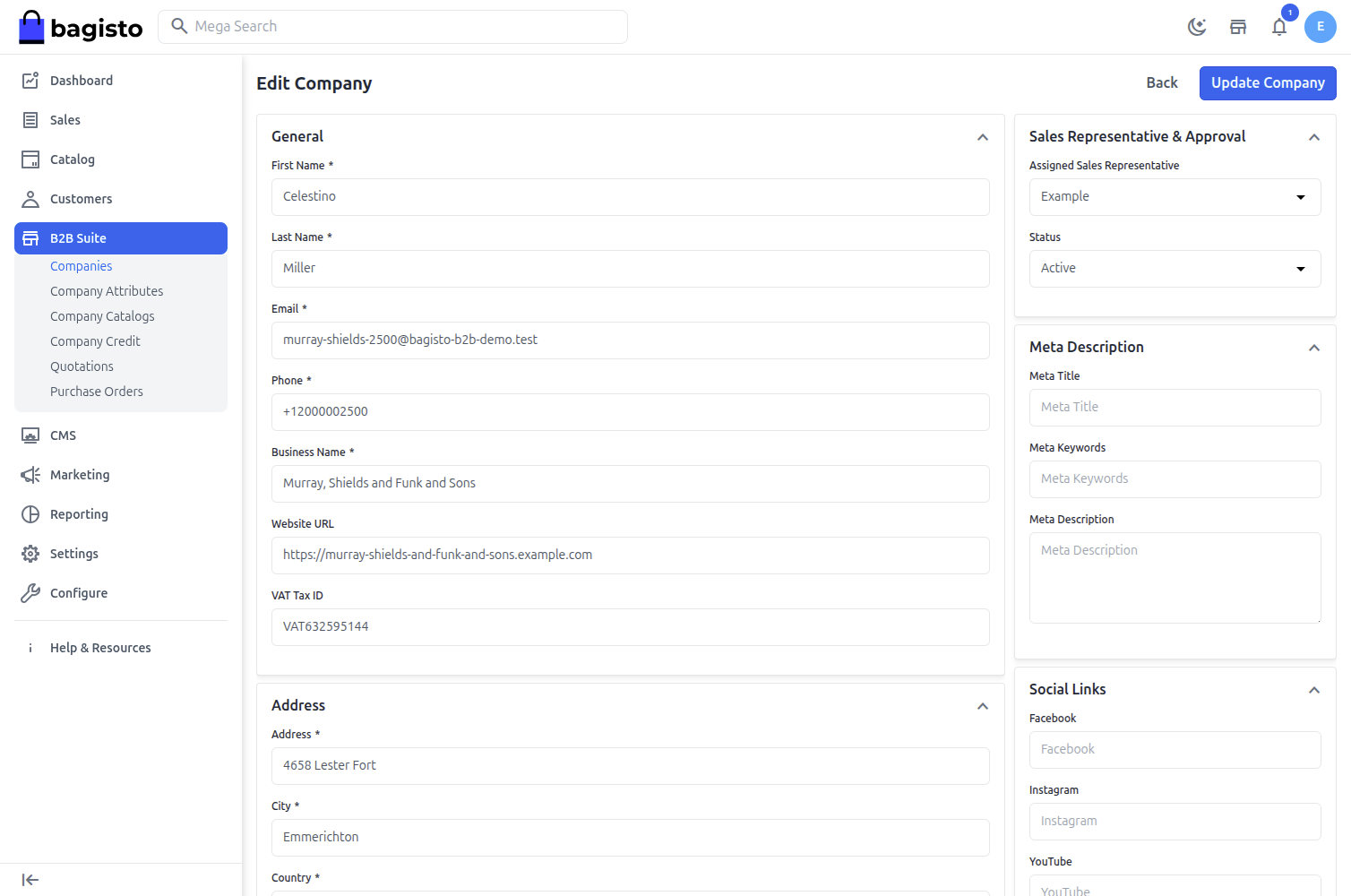
From the Company Edit Page
Step: 1 Navigate to Admin Panel → B2B → Companies and click Edit on a company.
Step: 2 Open the Sales Representative & Approval section.
Step: 3 Under Assigned Sales Representative, select the admin user who should manage this company. Choose No representative assigned to leave it unassigned.
Step: 4 Click Update Company to save.
Bulk Assignment from the Companies List
Step: 1 Navigate to Admin Panel → B2B → Companies.
Step: 2 Select one or more companies using the checkboxes.
Step: 3 From the mass-action menu, choose Assign Sales Representative and pick the admin user.
All selected companies are updated with the chosen sales representative.
What a Sales Representative Can Do
- Scoped access – When a non-super-admin user (one without full permissions) is logged in, they only see the companies, quotations, purchase orders and company catalogs that belong to the companies they manage. Super-admins continue to see everything.
- Quotation negotiation – The sales representative's name and email are shown on quotations for the companies they manage, and they handle the buyer–seller negotiation.
- Email notifications – Seller-side B2B notifications (new quote requests, counter-offers, purchase orders placed, and so on) are sent to the assigned sales representative. If a company has no sales representative, these emails fall back to the store email address.
Note: A company's assigned sales representative is also shown in the Companies and Quotations lists in the admin panel.