B2B Marketplace Review
The Review feature allows buyers to share their experience with sellers in the marketplace. It is designed to build trust and make buying decisions easier.
- Buyers can rate sellers based on service quality, communication, and reliability.
- Reviews help other buyers choose the right seller with confidence.
- Sellers can use reviews to gain credibility and improve their services.
This feature creates a transparent B2B marketplace where genuine feedback supports better business relationships.
Note: Reviews can only be given by logged-in customers after their product has been successfully delivered.
How to Submit a Review
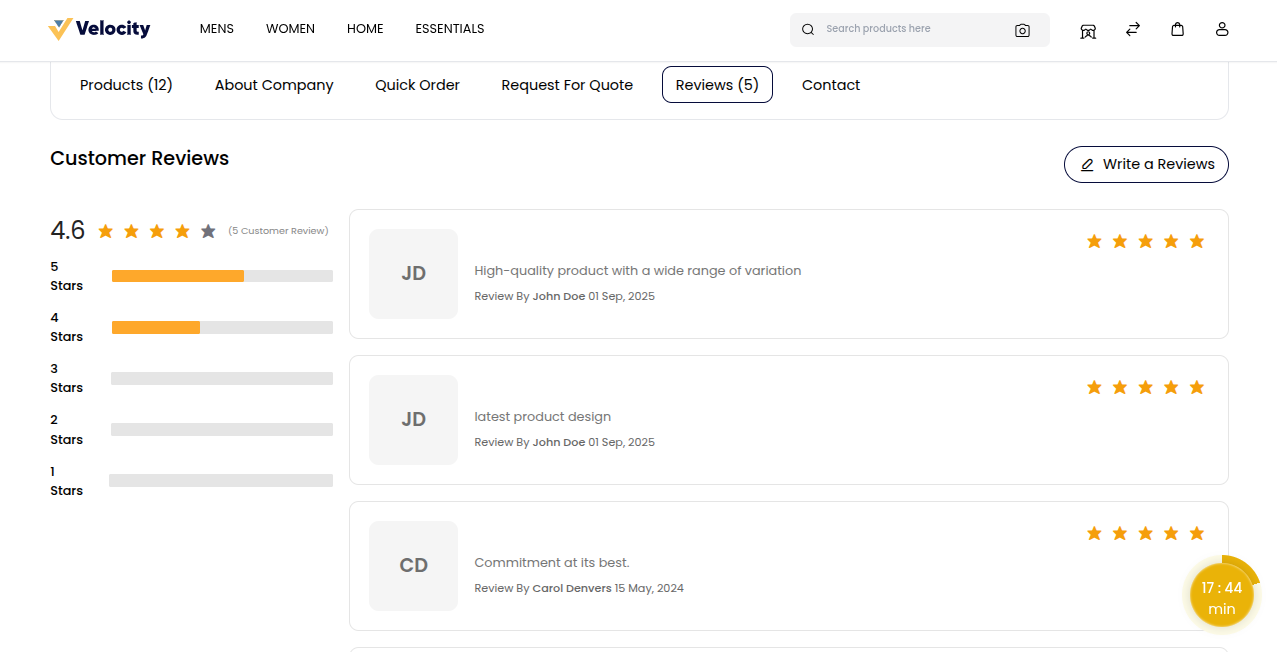
Open the Supplier Page to view details about the seller.
Click the Review button.
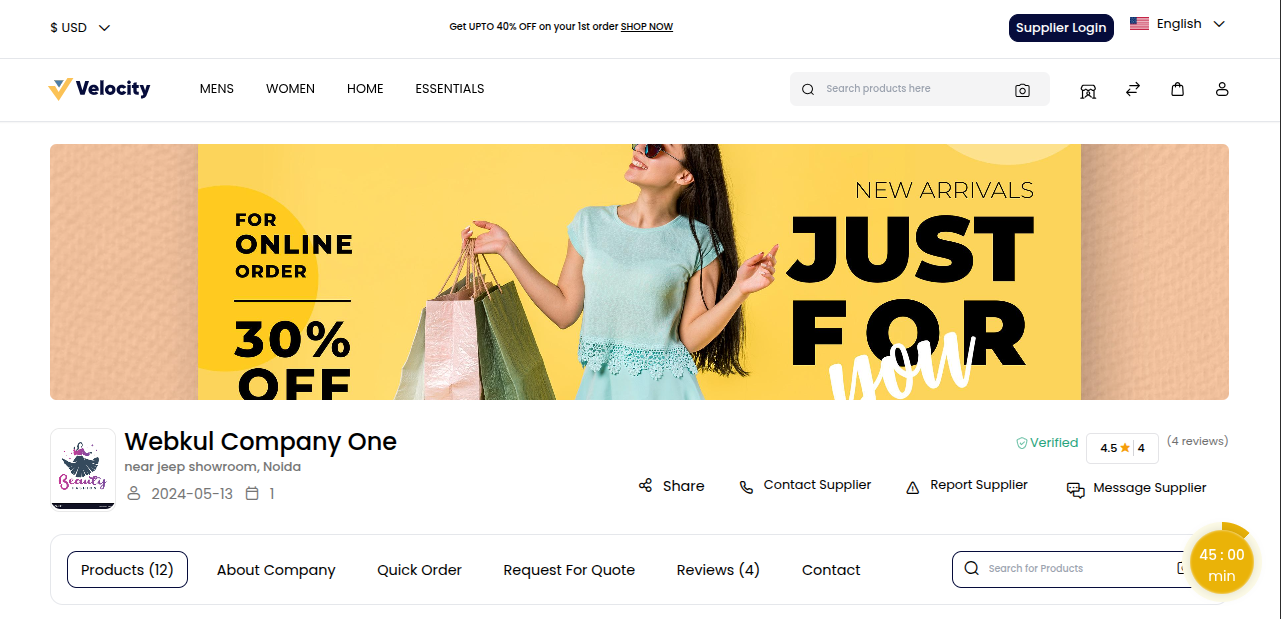
On the Review Page, click the Write a Review button.
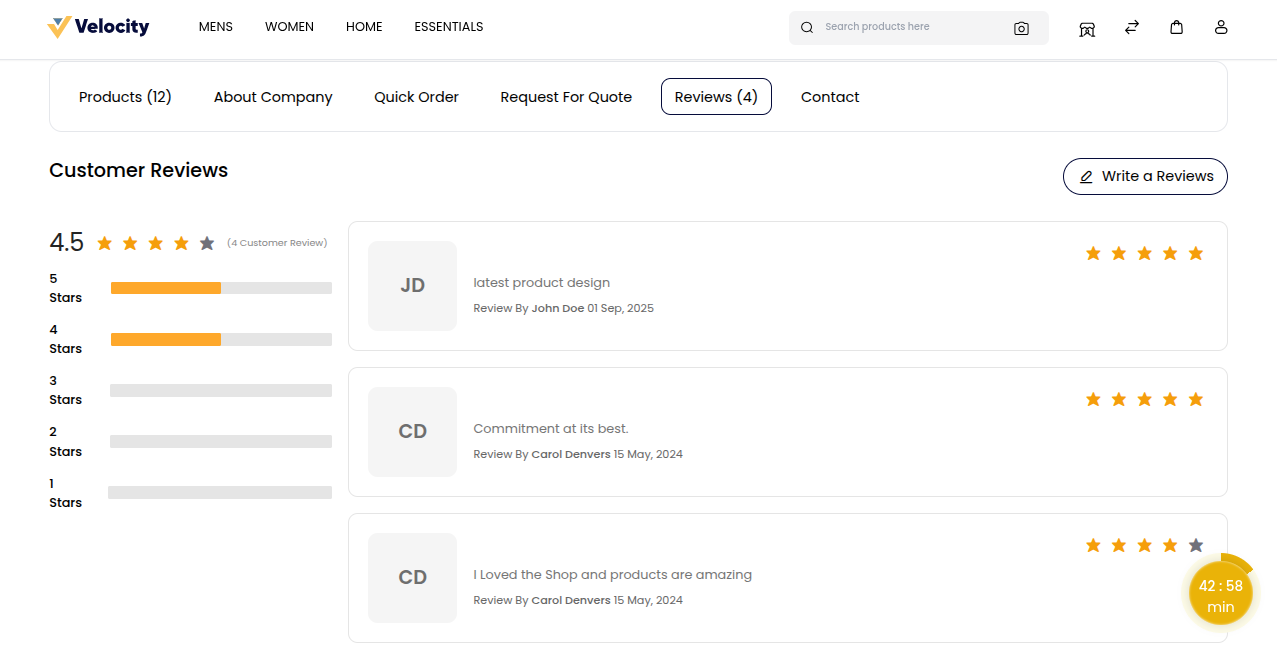
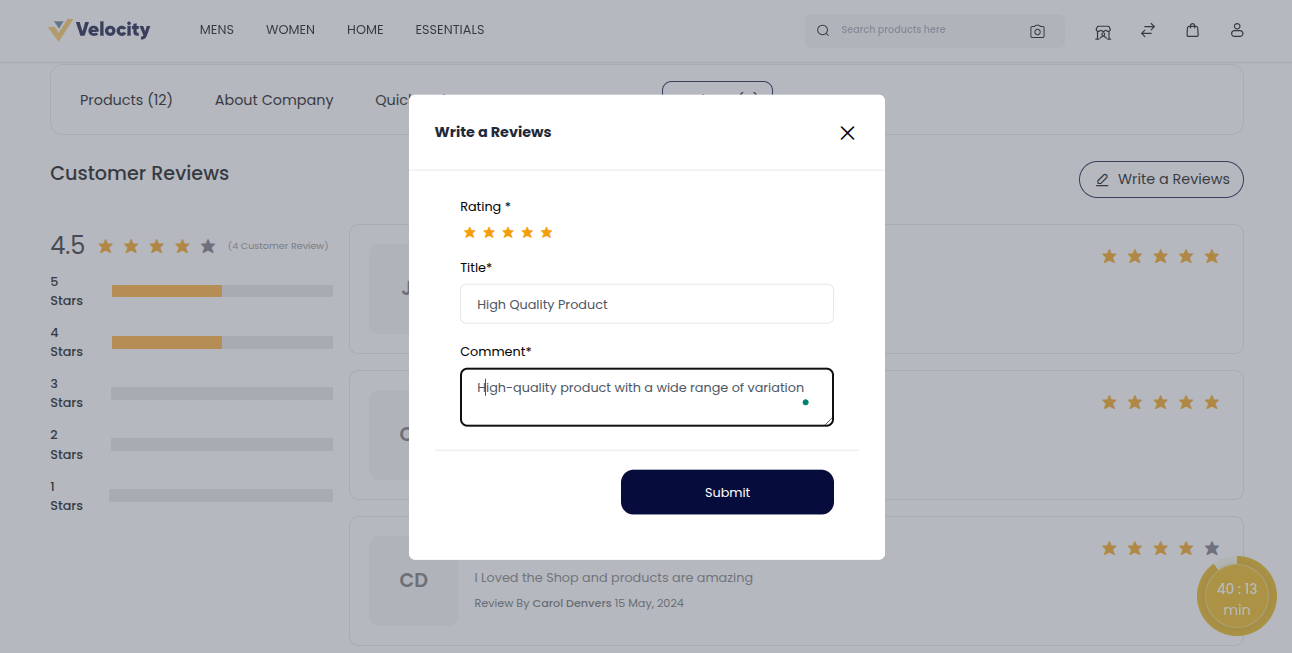
Fill in the popup:
- Rating: Select the rating you want to give the seller.
- Title: Enter a clear title for the review.
- Comment: Write detailed comments about the seller’s service.
Click the Submit button to post the review.
Note: Reviews show on the page only after the admin approves.
Admin Panel: Approve Reviews
Go to B2B Marketplace >> Supplier Reviews. The supplier reviews page opens, where the admin can see all customer ratings and feedback in one place.
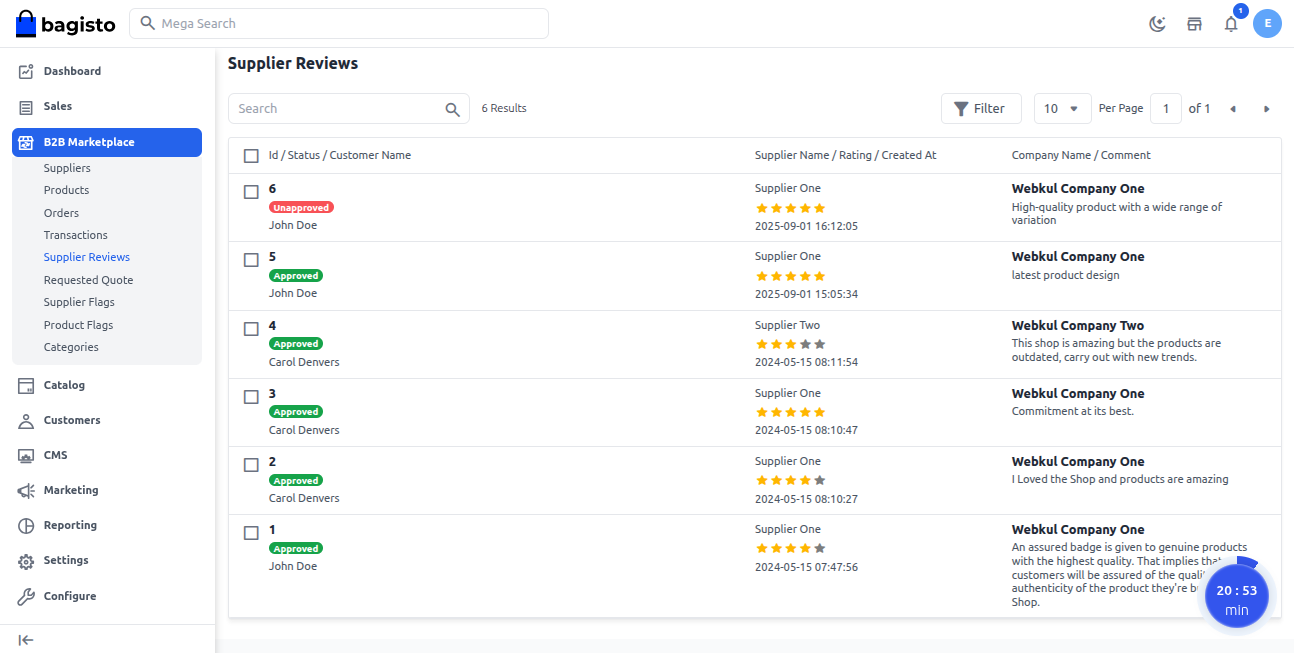
Select the review using its checkbox.
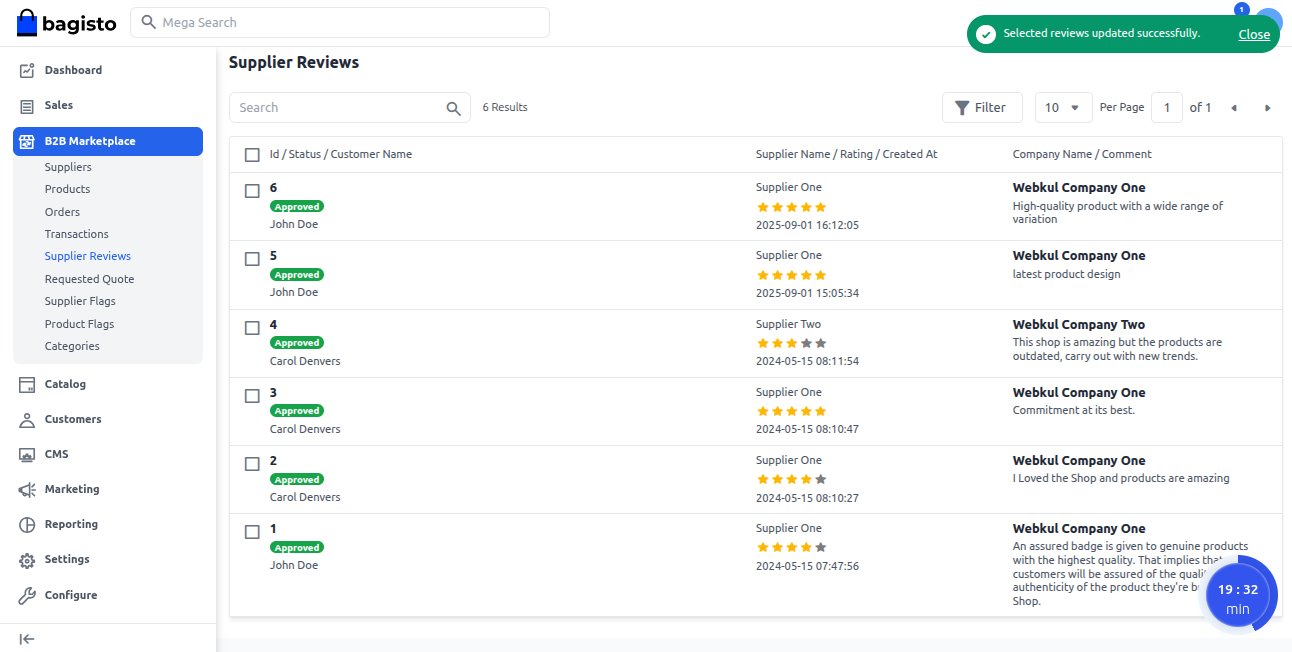
Choose Approve or Disapprove from the Select Action dropdown.
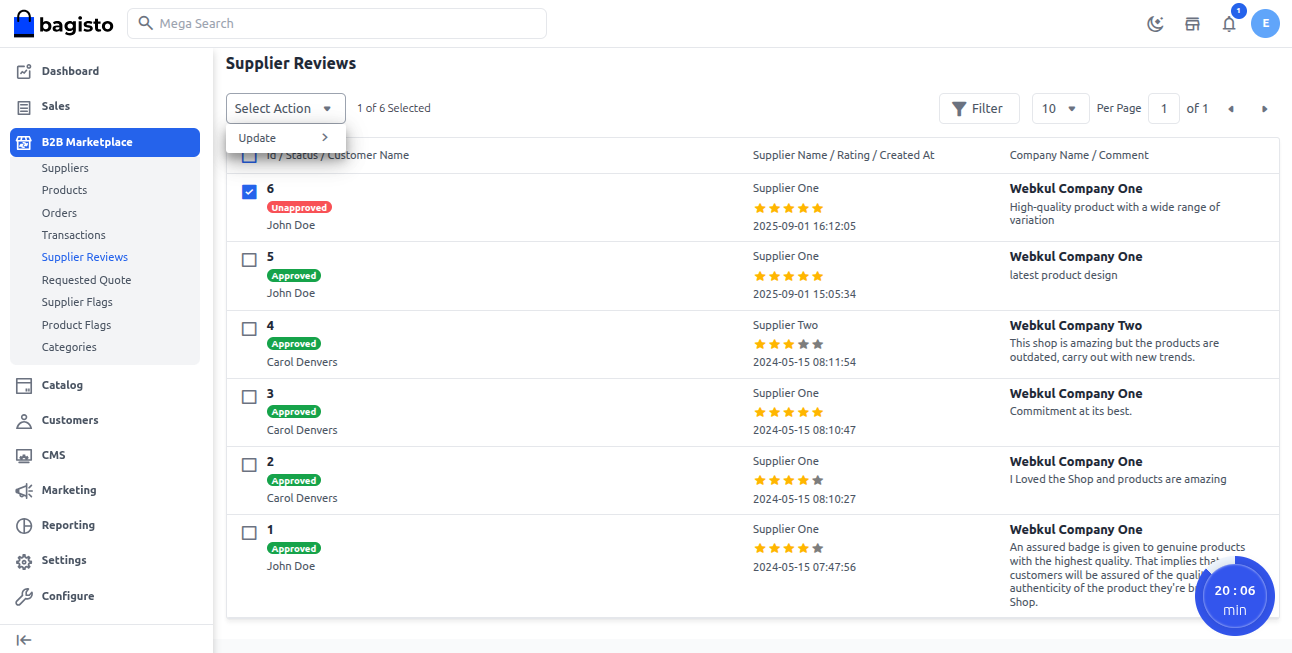
Admin Supplier Reviews Page
Below is a detailed view of admin supplier reviews.
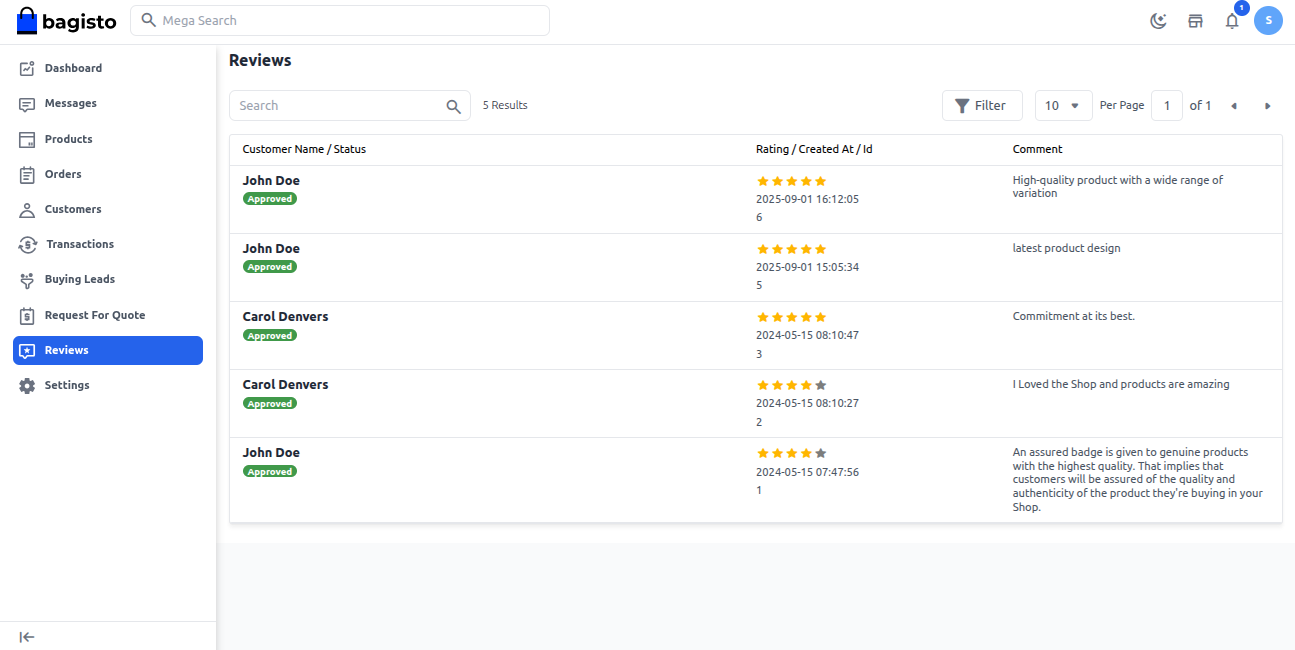
Seller Reviews Page
Here’s a detailed view of seller reviews for easy monitoring.
Frontend View
The display below shows how reviews appear to customers.