
Checkout
The Checkout screen decides whether shoppers can buy at all, whether guests can check out, what the cart page offers, and how the mini cart behaves. These settings apply to the whole store.
Shopping cart
- Go to Configure >> Sales >> Checkout.
- In Shopping Cart, switch each setting described below on or off.
- Click Save Configuration.
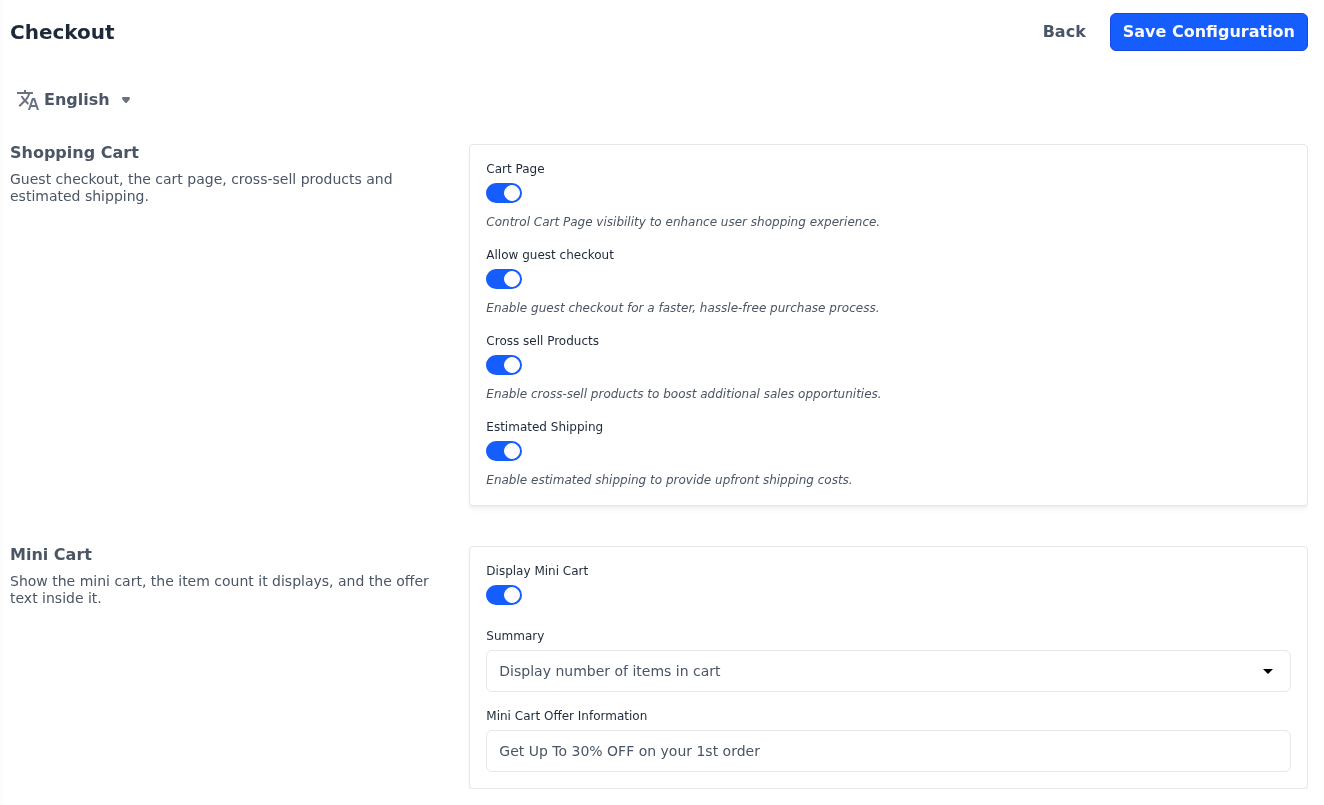
All four settings are on in a new store.
| Setting | What it does |
|---|---|
| Cart Page | Turns buying on or off for the whole storefront. When it's off, the store works as a catalog: Add To Cart, Buy Now and the cart icon are hidden, product pages show a Contact Us button that opens a contact form, products can't be moved from the wishlist to the cart, and the cart and checkout pages can't be opened. |
| Allow guest checkout | Lets shoppers place an order without signing in. When it's off, shoppers who go to checkout are sent to sign in first, and return to checkout afterwards. |
| Cross sell Products | Shows cross-sell products on the cart page. How many are shown is set under Cart View Page. |
| Estimated Shipping | Shows Estimate Shipping and Tax on the cart page, where shoppers enter their destination to see the shipping and tax before checkout. |
Require an account for particular products
While Allow guest checkout is on, you can still require an account for particular products:
- Go to Catalog >> Products.
- Open the product.
- Switch Guest Checkout off.
- Click Save Product.
When the cart holds such a product, or any downloadable product, guests are sent to sign in before checkout. The product's Guest Checkout field is described in Products.
Mini cart
The mini cart is the drawer that opens from the cart icon in the storefront header.
- Go to Configure >> Sales >> Checkout.
- In Mini Cart, set the options described below.
- Click Save Configuration.
| Setting | What it does |
|---|---|
| Display Mini Cart | Opens the mini cart when shoppers click the cart icon. When it's off, the cart icon takes shoppers straight to checkout. It's on in a new store. |
| Summary | What the number on the cart icon counts. Display number of items in cart, the default, counts the different items in the cart. Display item quantities counts the total quantity, so two units of one product count as two. It applies only while Display Mini Cart is on; while it's off, the number counts the total quantity. |
| Mini Cart Offer Information | A line of text under the mini cart's heading, such as a promotion. Up to 200 characters. The default is Get Up To 30% OFF on your 1st order. |
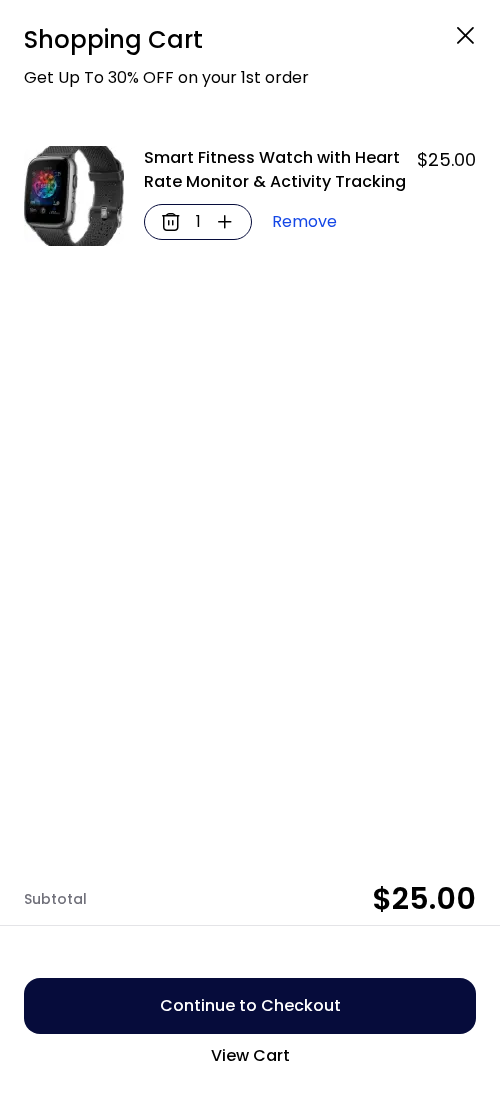
Differences in Bagisto 2.4
In Bagisto 2.4, Summary is in its own My Cart section on this screen.