Bundle Product
A bundle product is a kit that shoppers put together from options, such as an outfit where they choose the jeans, the jacket, the T-shirt and the shoes. Each option offers a few simple products, and the bundle's price is the total of the products the shopper chooses.
This page covers what's specific to bundle products. For the sections every product shares, see Products.
Create a bundle product
Create the product as described in Create a product, choosing Bundle as the Type.
A bundle product has no Price, Shipping or Inventories section. Prices, weights and stock come from the products in its options.
Add an option
The Bundle Items section holds the bundle's options, such as Select Jeans.
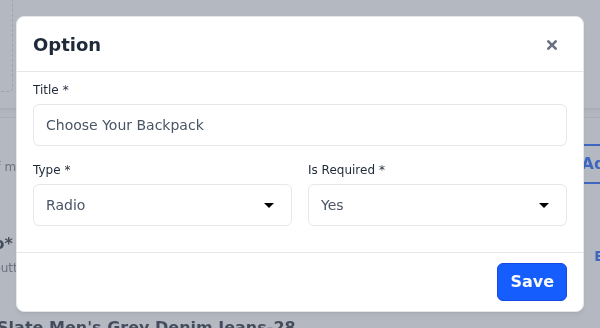
- In Bundle Items, click Add Option. The Option dialog opens.
- Enter the Title shoppers see for the option.
- Choose the Type, which decides how shoppers choose:
- Select: a drop-down list, one product.
- Radio: radio buttons, one product.
- Checkbox: tick boxes, any number of products.
- Multiselect: a list where shoppers can pick several products.
- Choose whether the option Is Required. When it's Yes, shoppers must choose from the option.
- Click Save.
To change an option, click Edit on it. Delete removes the option and its products.
Add products to an option
- Click Add Product on the option. The Select Products panel opens.
- Search for the products by name. Only simple products without customizable options are listed.
- Tick the products.
- Click Add Selected Product.
- Enter the Default Qty for each product.
- Mark the product chosen by default: the radio button for Select and Radio options, or the tick boxes for Checkbox and Multiselect options.
- Click Save Product.
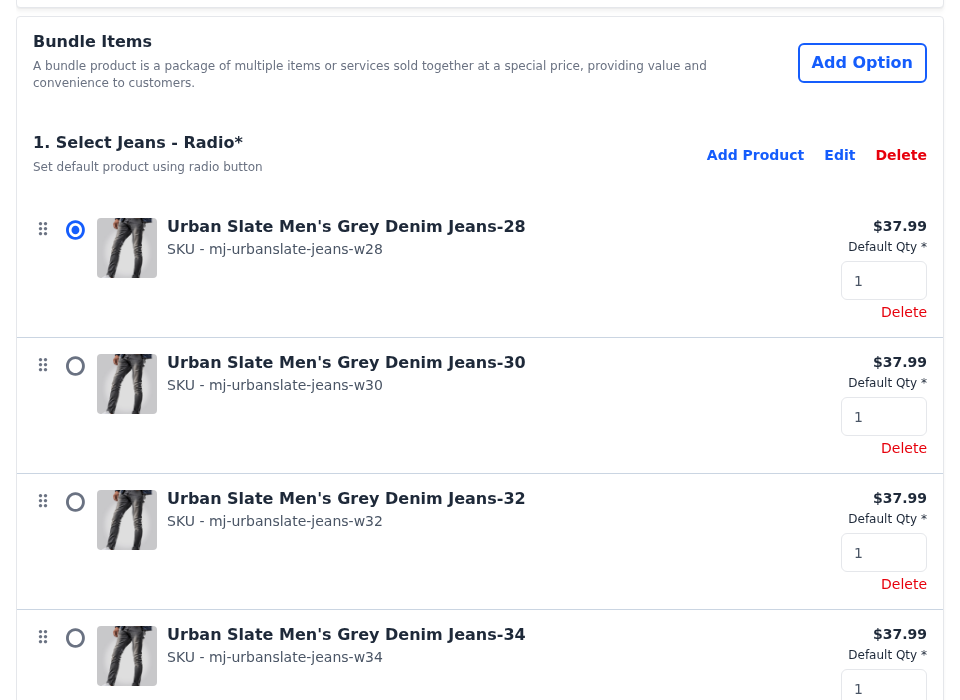
Drag a product by its handle to reorder it, or click Delete on its row to remove it.
What shoppers see
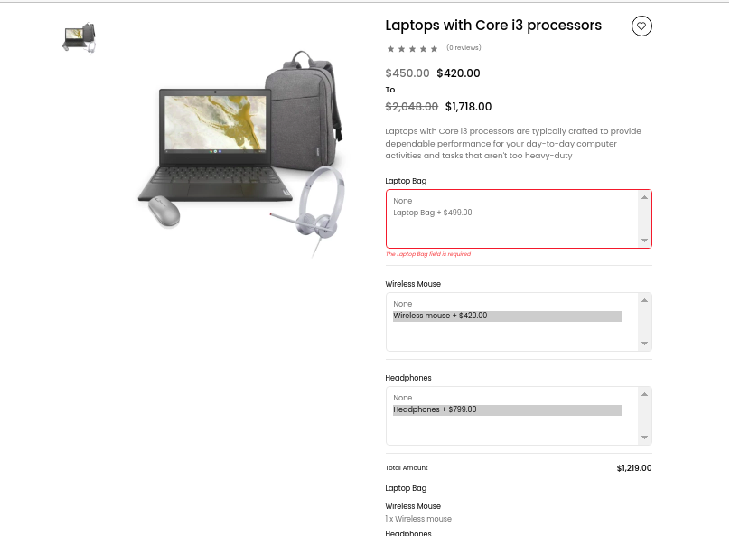
The product page lists each option with its products and their prices, with the default products already chosen, and a Total Amount that updates as shoppers choose.
- For Select and Radio options, shoppers can change the quantity of the product they choose.
- For Checkbox and Multiselect options, each product's Default Qty is used.
- A Select, Radio or Multiselect option that isn't required also offers None.