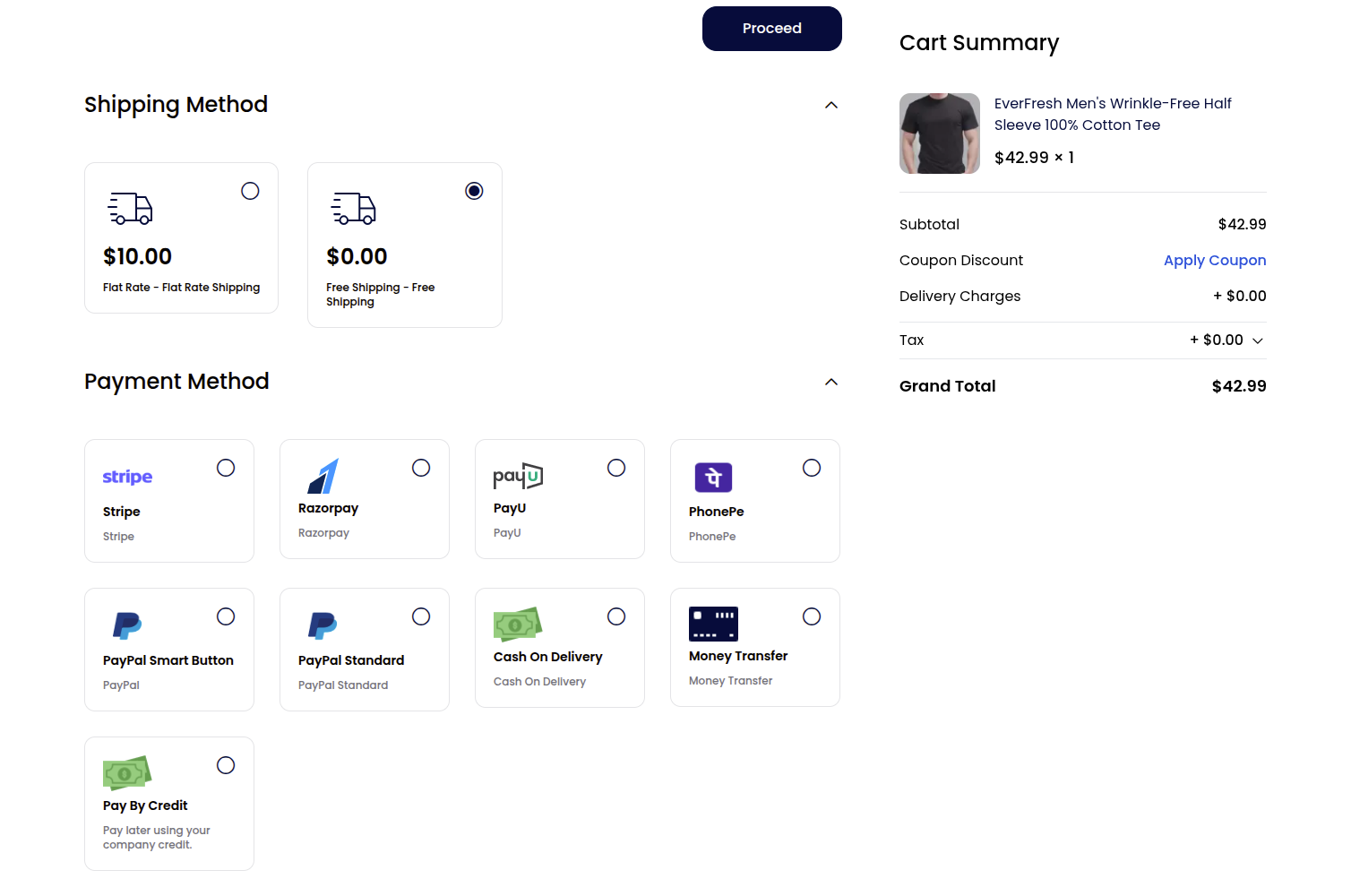
Company Credit (Pay By Credit)
The Company Credit feature gives companies a buy-now-pay-later credit account. An administrator allocates a credit limit to a company; members can then place orders using the Pay By Credit payment method at checkout, drawing down the available credit. Every change to the balance is recorded in an audited credit ledger.
Note: Company Credit must first be enabled under Admin Panel → Configure → B2B Suite → Company Credit. See the Configuration guide.
Company Credit (Admin End)
Navigate to Admin Panel → B2B → Company Credit. The page lists all companies along with their company name and email so you can manage credit per company.
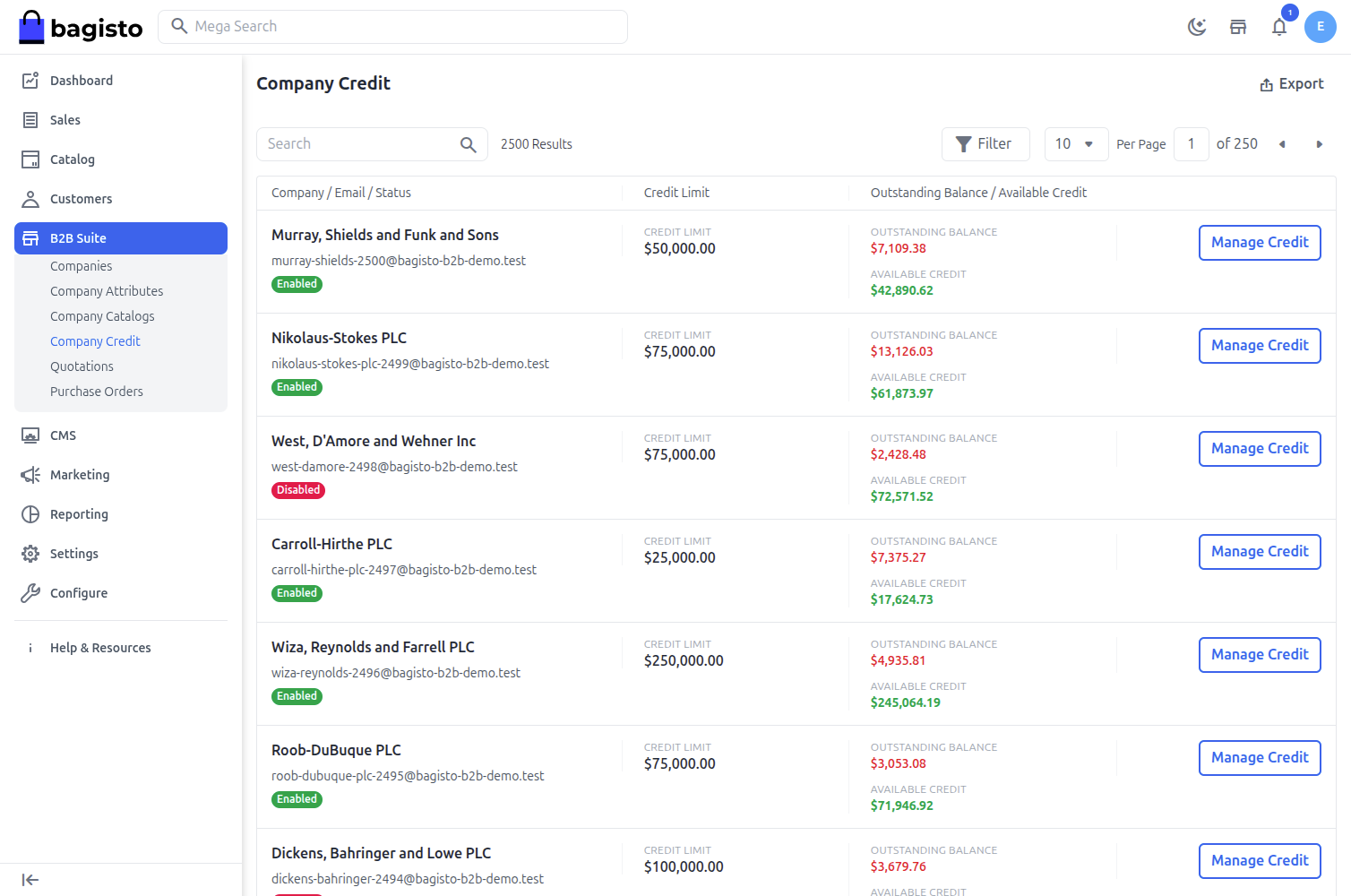
Manage Credit
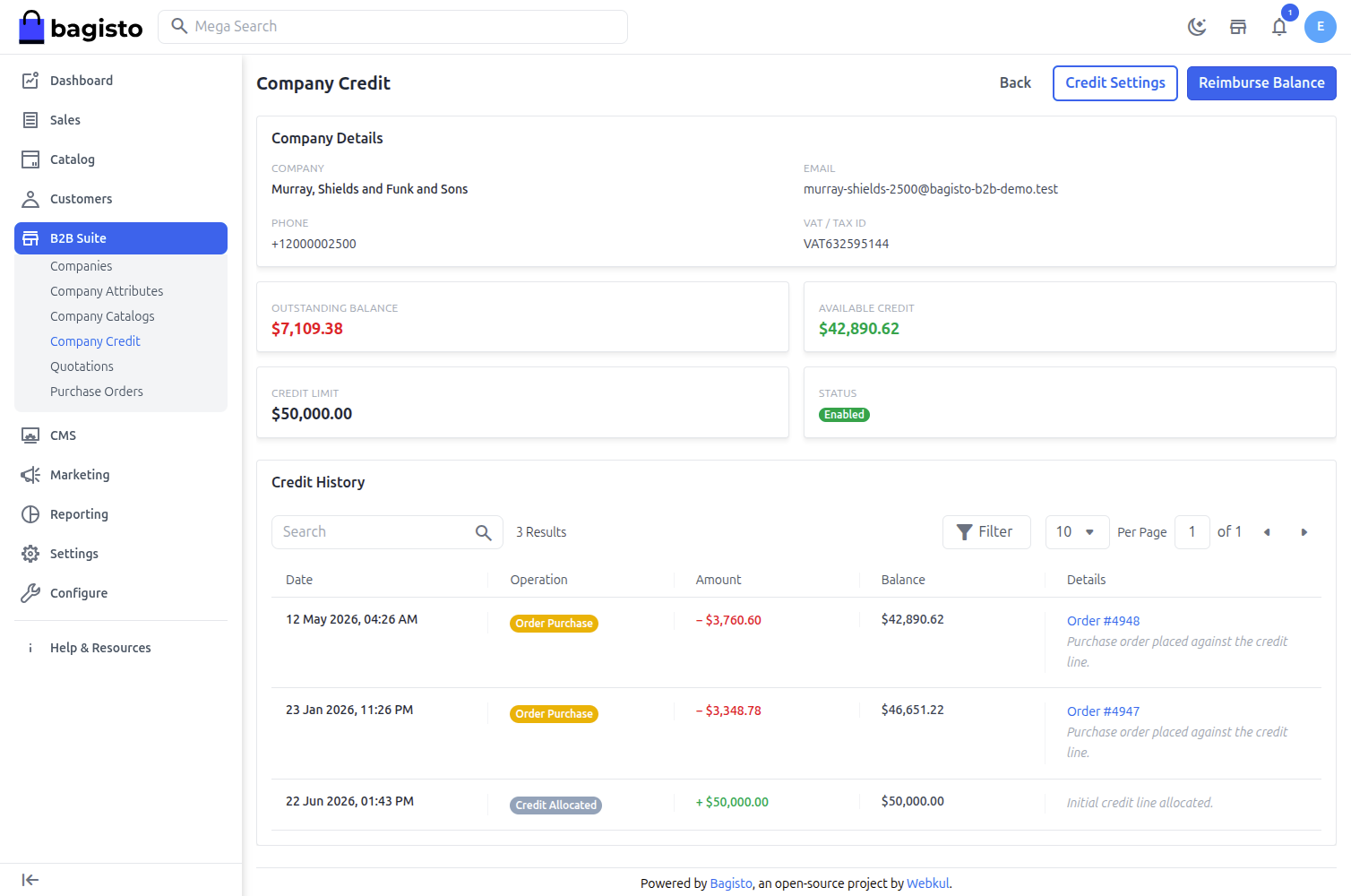
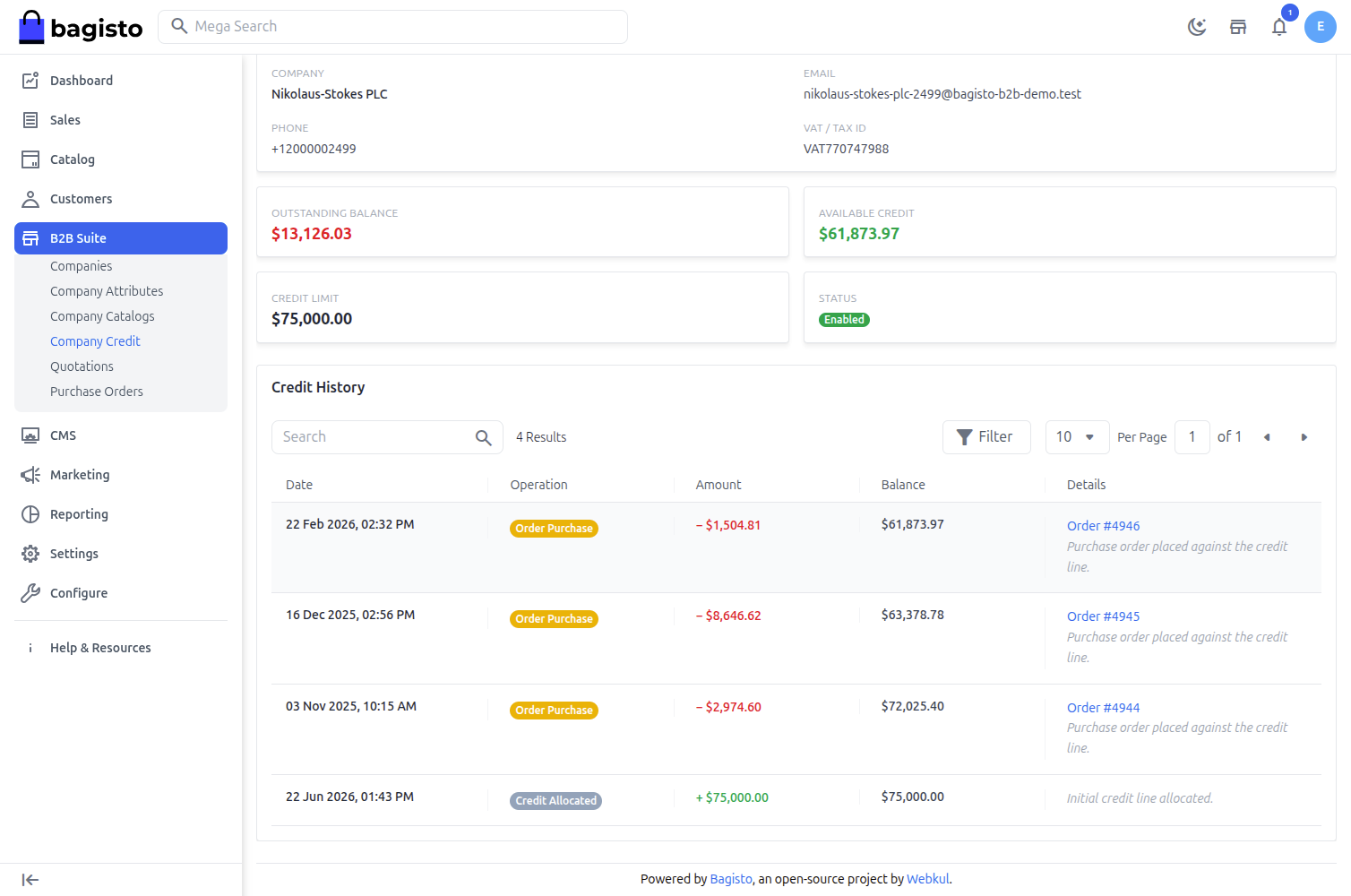
Click Manage Credit for a company to open its credit page. This page shows the company details, the current credit position and the full credit history.
Key figures:
- Credit Limit – The total credit allocated to the company.
- Outstanding Balance – The amount the company currently owes.
- Available Credit – The remaining credit the company can spend.
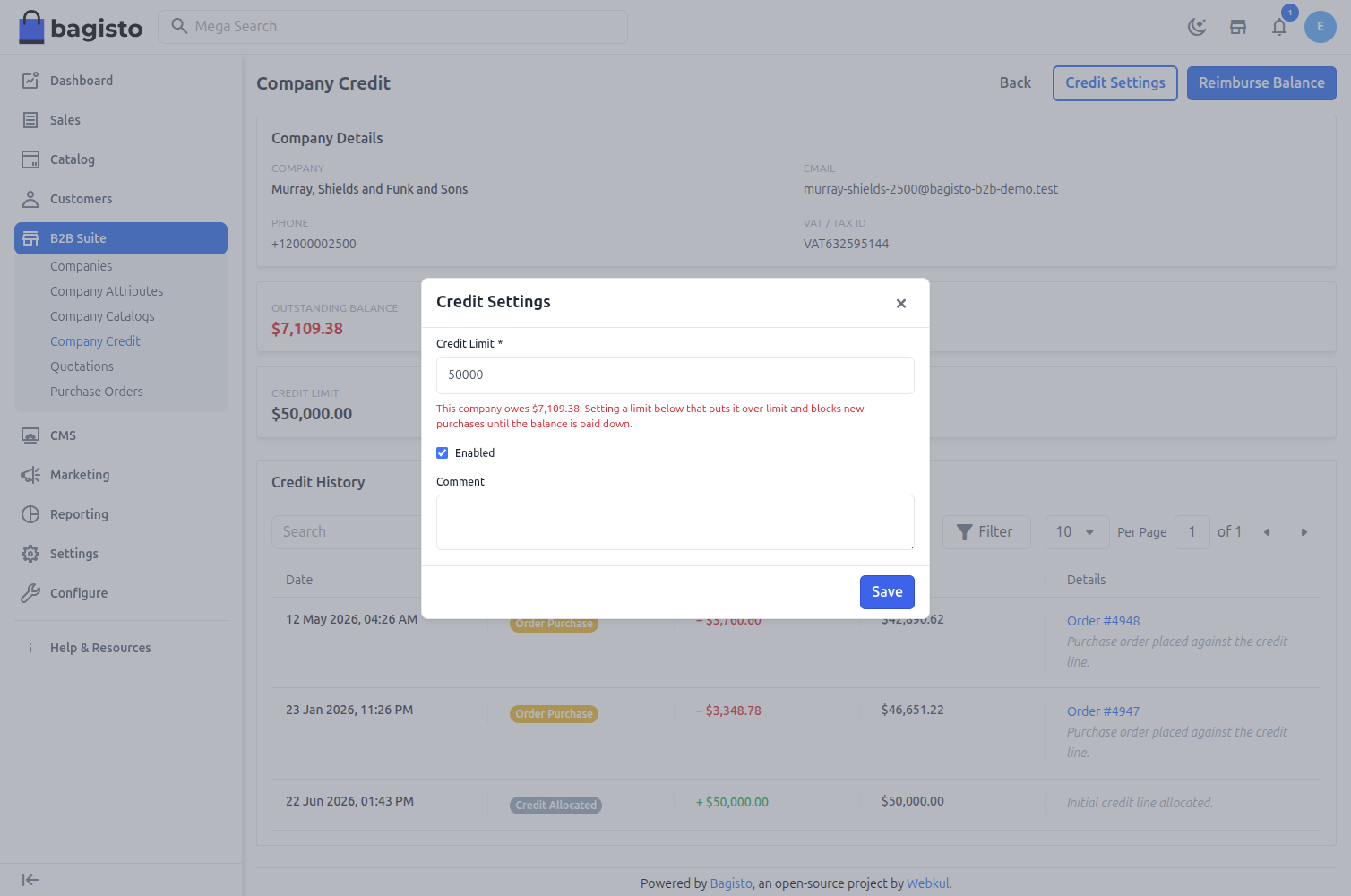
Credit Settings
Use Credit Settings to set or update the company's credit terms.
1) Credit Limit – Enter the credit amount to allocate to the company.
2) Status – Enable or disable the company's credit account.
3) Allow orders to exceed the credit limit – When enabled, members can place orders even if they exceed the available credit.
4) Comment – An optional note recorded with the change.
Click Save to apply the settings.
Note: If you lower a company's credit limit below its outstanding balance, the company is put over-limit — new purchases are blocked until the balance is paid down. A warning is shown and the change is recorded in the ledger.
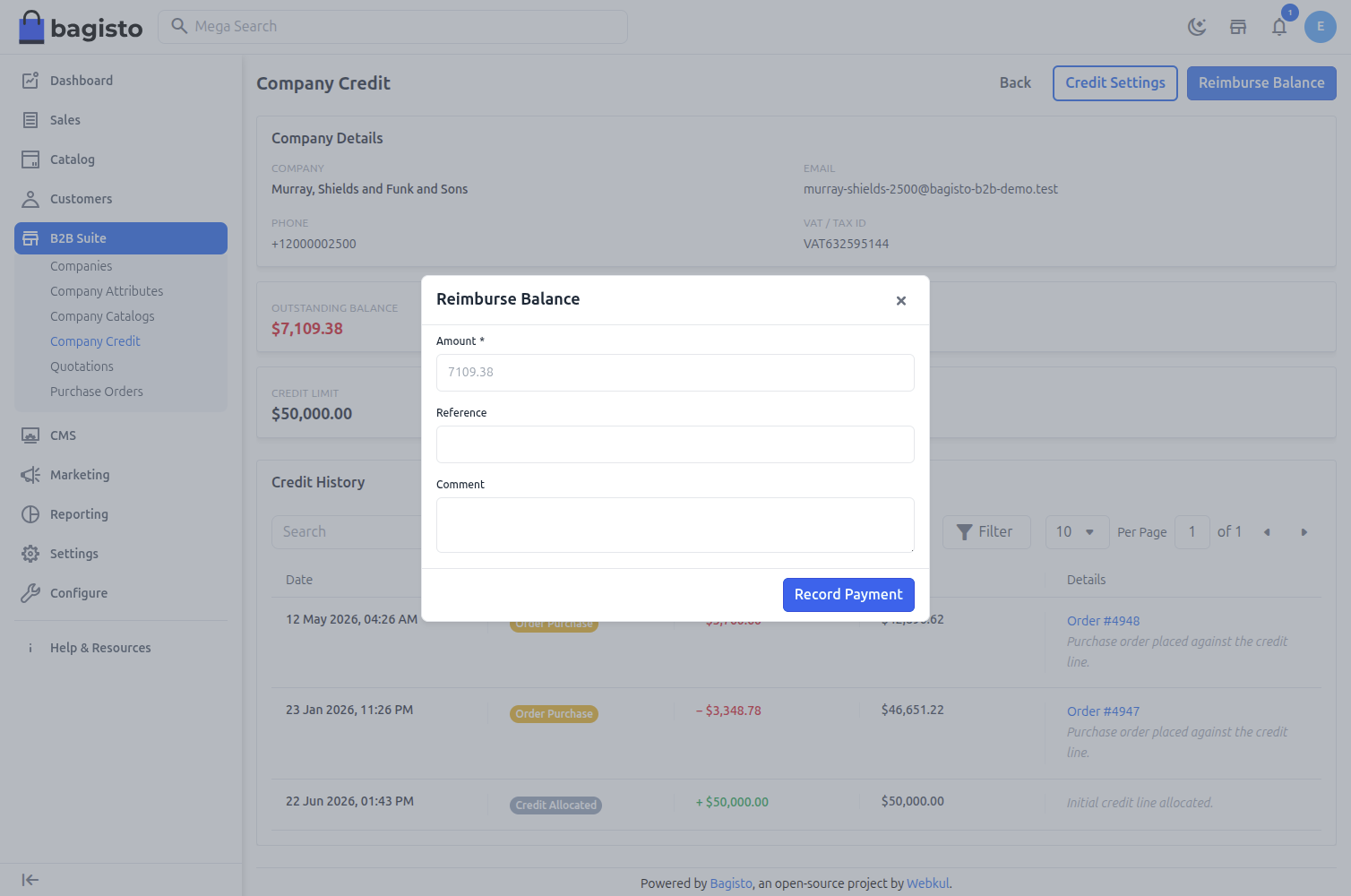
Reimburse Balance (Record a Payment)
When a company pays down its balance (for example by bank transfer), record it using Reimburse Balance.
1) Amount – The payment amount received.
2) Comment – An optional reference or note.
Click Record Payment to apply the payment. This reduces the outstanding balance and frees up available credit.
Credit History
The Credit History section is a full audited ledger of every change to the company's credit, including the operation, amount, resulting balance, related order/reference and date.
Operations include:
- Credit Allocated – Credit added when a limit is first set.
- Limit Updated – The credit limit was changed.
- Order Purchase – Credit consumed by a Pay By Credit order.
- Payment Received – A reimbursement recorded against the balance.
- Order Refunded – Credit returned when an order is refunded.
- Order Reverted – Credit returned when an order is cancelled / reverted.
Company Credit (Storefront)
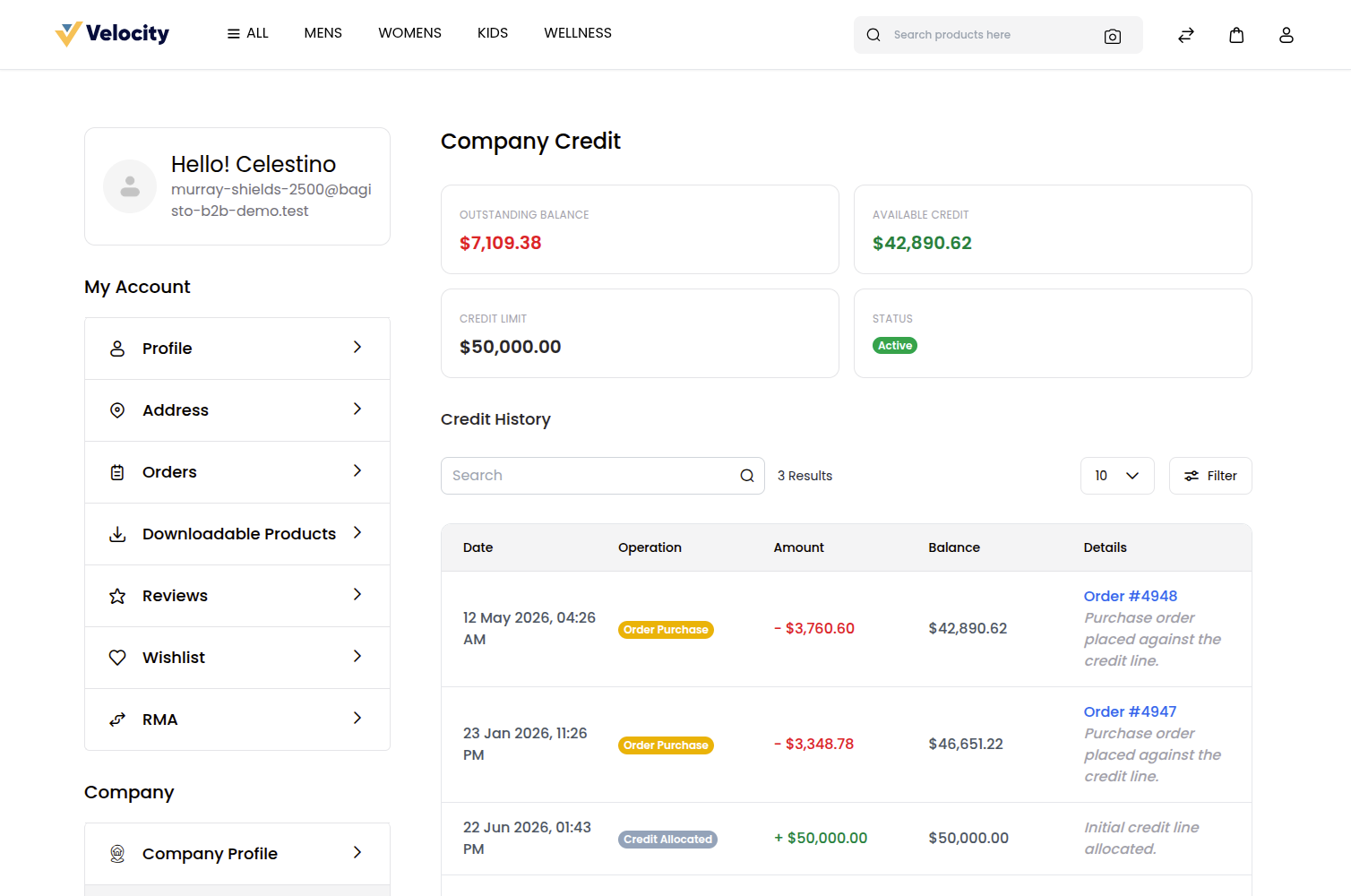
Company members can view their credit account from My Account → Profile → Company Credit.
This page shows the company's Credit Limit, Outstanding Balance and Available Credit, along with the same credit history (transactions) recorded by the admin.
Note: The Company Credit link is hidden from the storefront account menu when the credit feature is disabled.
Paying with Company Credit at Checkout
When a company has an active credit account, the Pay By Credit payment method appears at checkout. Selecting it lets the company place the order against its available credit; the order amount is deducted from the available credit and recorded in the ledger as an Order Purchase.
If the order total exceeds the available credit (and the company is not allowed to exceed its limit), the order is blocked with a message asking the customer to reduce the cart or choose another payment method.