
Seller Reporting
The Reporting section gives sellers clear, data-driven insight into how their store is performing. Sellers can track revenue trends, see which products sell best, and understand their customer base — all from one place in the seller panel.
Where to find it
From the seller panel, go to the Reporting menu, which contains three reports:
- Sales
- Products
- Customers
Each report supports a date range / time filter so sellers can compare performance across periods, and an Export option to download the data.
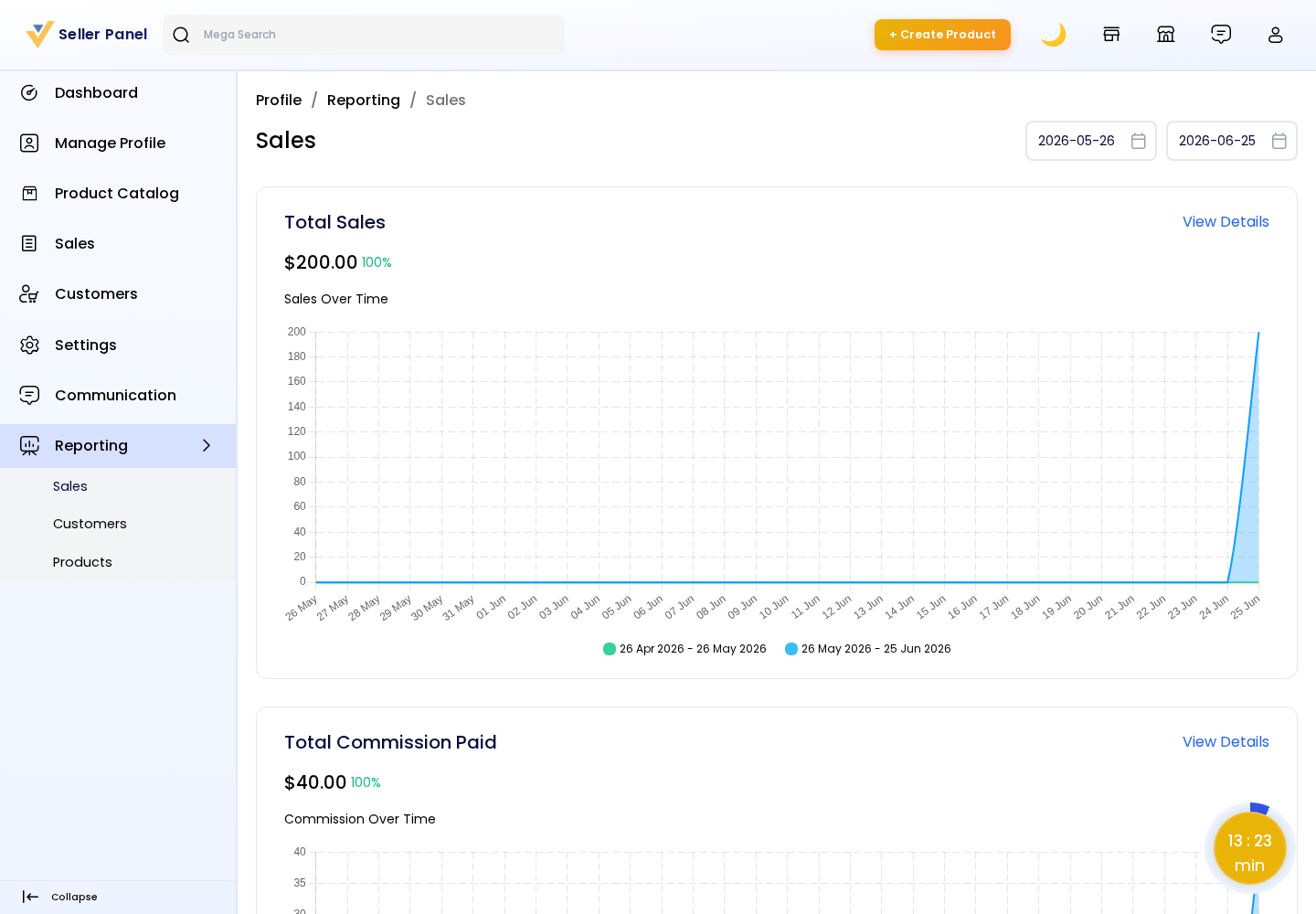
Sales Report
The Sales report summarises the store's revenue performance, including totals such as sales, orders, and average values over the selected period, with trends shown over time. Use it to spot growth, seasonality, and the impact of promotions.
Products Report
The Products report highlights product-level performance — for example top-selling products and the quantities sold — helping sellers decide what to restock, promote, or discontinue.
Customers Report
The Customers report focuses on the buyer side — such as customer activity and traffic over the selected period — so sellers can understand demand and repeat-purchase behaviour.
Filtering & Export
Date filter: Narrow any report to a specific range to analyse a campaign or compare months.
Export: Download the report data for offline analysis or record-keeping.
Note: Reporting figures are scoped to the signed-in seller's own store, so each seller sees only their own sales, products, and customers.