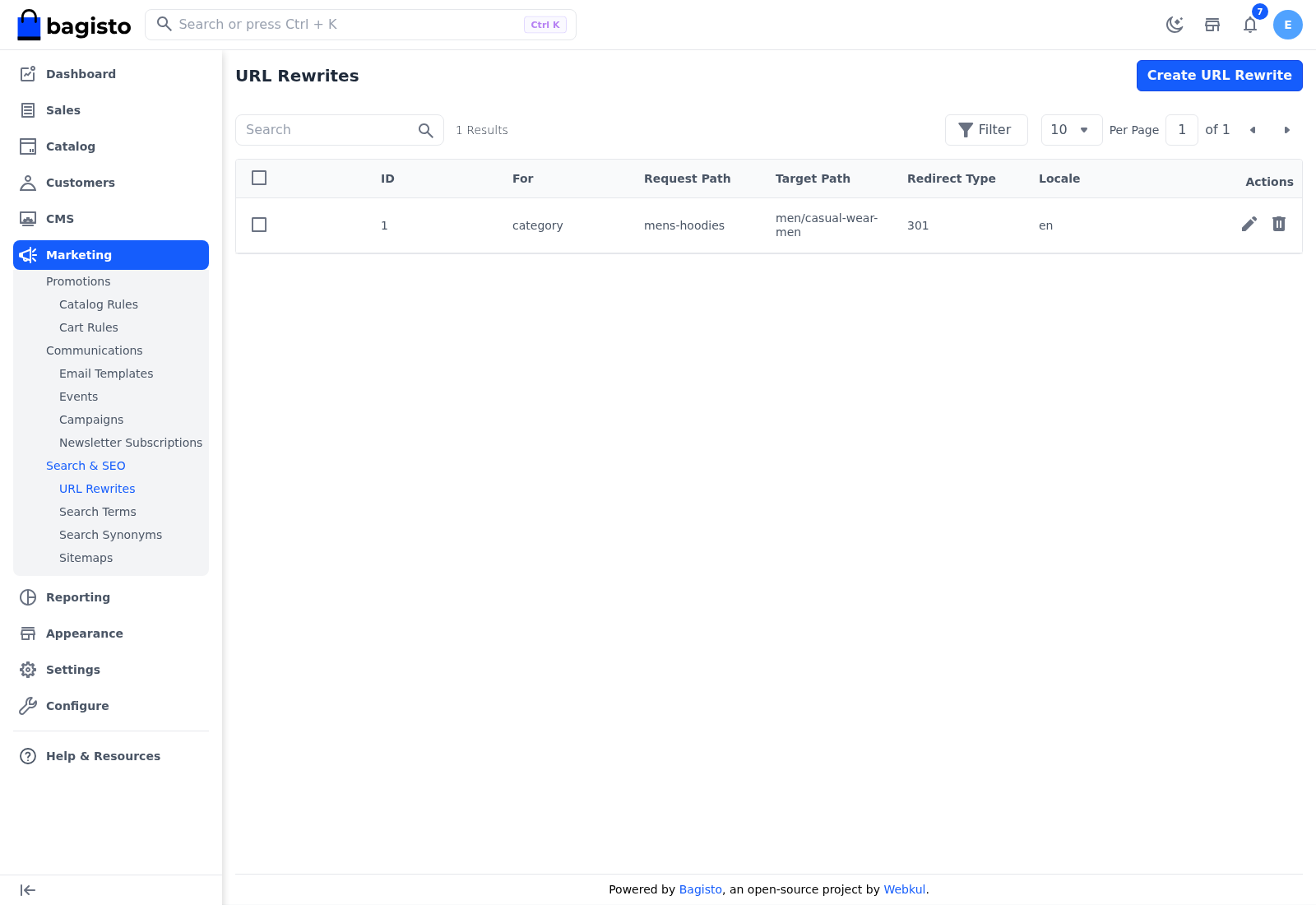
URL Rewrites
A URL rewrite sends visitors from one address on your storefront to another. Use it when a product, category or CMS page moves, so old links and bookmarks keep working and search engines find the new address.
Rewrites Bagisto adds for you
When you change the URL key of a product, category or CMS page, Bagisto adds a Permanent (301) rewrite from the old URL key to the new one, for the language you edited. It appears in the list, and you can edit or delete it like any other rewrite.
- Only the most recent old address keeps redirecting. Each change removes the rewrites that pointed at the previous URL key.
- For a CMS page, check the rewrite that's added. Open it and make sure its Target Path starts with
page/.
Create a URL rewrite
Go to Marketing >> Search & SEO >> URL Rewrites.
Click Create URL Rewrite.
In For, choose Product, Category or CMS Page.
Enter the Request Path, the old address without your store's domain, for example
blue-zipper-hoodie.Enter the Target Path, where visitors should go, for example
coastal-breeze-mens-blue-zipper-hoodie-s.Choose the Redirect Type. It starts on Temporary (302).
Choose the Locale, the storefront language the rewrite applies to.
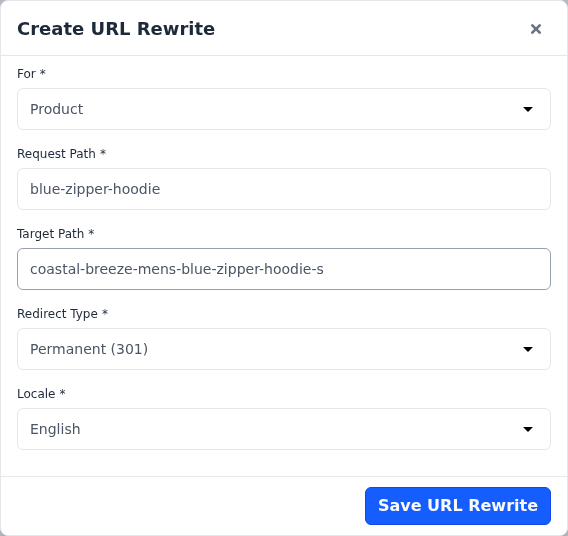
Click Save URL Rewrite.
Choose the redirect type
| Redirect Type | Use it when |
|---|---|
| Permanent (301) | The old address is gone for good. Search engines move the old page's ranking to the new address. |
| Temporary (302) | The change is short-term, such as a seasonal page that will come back. Search engines keep the old address. |
How rewrites are matched
- The Request Path matches the whole address after your store's domain, without the leading
/. - For a CMS page, choose CMS Page in For and enter the part after
page/in Request Path, for exampleshipping-infofor/page/shipping-info. - The Target Path is a path on your store or a full web address. To send visitors to a CMS page, include
page/, for examplepage/shipping-policy.
Manage URL rewrites
The URL Rewrites list shows each rewrite's ID, For, Request Path, Target Path, Redirect Type and Locale, with icons to edit and delete it. Select several rewrites to delete them together.