
Exchange Rates
Bagisto can fetch current exchange rates from an exchange rate service, so prices shown in your other currencies stay correct without entering rates by hand. You can update the rates on demand or on a schedule. Every setting on this screen applies to the whole store.
General settings
- Go to Configure >> General >> Exchange Rates.
- In General Settings, choose the Default Service: Exchange Rates API (the default) or Fixer API.
- Click Save Configuration.
The default service is the one used by scheduled updates and by the Update Exchange Rate button. Enter the API key of that service in its own section.
Exchange Rates API
ExchangeRate-API returns the rates for all your currencies in one request. You need an API key from your ExchangeRate-API account.
- Go to Configure >> General >> Exchange Rates.
- In Exchange Rates API, enter the API Key.
- Click Save Configuration.
Fixer API
Fixer is asked for the rate of one currency at a time. You need an API key from your Fixer account.
- Go to Configure >> General >> Exchange Rates.
- In Fixer API, enter the API Key.
- Click Save Configuration.
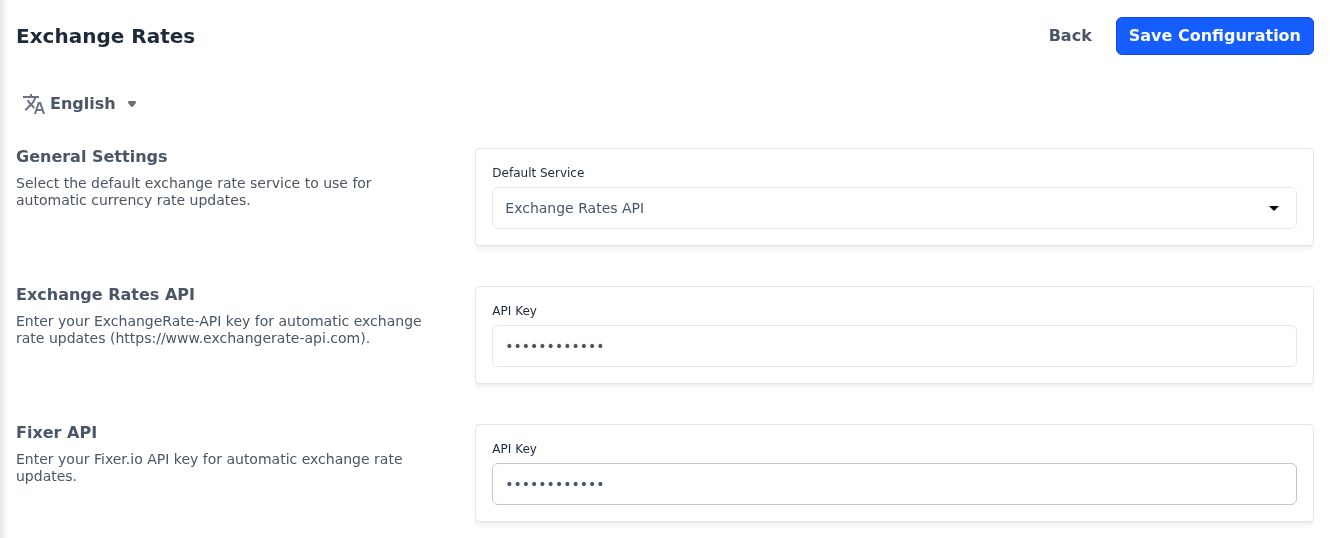
If an API Key is left empty, the store uses the key set for that service in the server's environment file, if there is one.
Scheduled import
- Go to Configure >> General >> Exchange Rates.
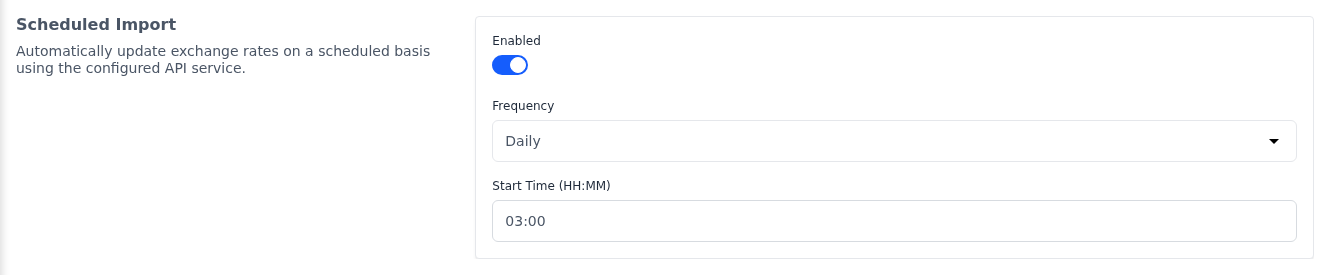
- In Scheduled Import, switch Enabled on. Frequency and Start Time (HH:MM) appear.
- Choose the Frequency: Daily (the default), Weekly, which runs on Mondays, or Monthly, which runs on the first day of the month.
- Enter the Start Time (HH:MM) in 24-hour format, such as
03:00. The default is00:00. - Click Save Configuration.
Scheduled updates run on the server's task scheduler. If the rates don't update at the set time, ask whoever manages your server to check that the scheduler is running. See Scheduled Tasks.
Update the rates now
- Go to Settings >> Exchange Rates.
- Click Update Exchange Rate.
The rates are fetched from the default service straight away. You can also enter a rate by hand on the same page; see Exchange Rates.