Seller Subscription Management
Admins have the ability to create flexible and customizable subscription plans for sellers, allowing them to define different access levels based on specific business needs.
Through these plans, administrators can control what features, tools, and resources each seller can access on the platform. This helps ensure that sellers receive the appropriate level of functionality according to the plan they subscribe to.
Additionally, admins can configure permissions and limitations within each subscription plan, such as product listing limits, marketplace features, or advanced management tools.
By structuring these plans strategically, businesses can offer tiered services, encourage sellers to upgrade for additional benefits, and maintain better control over marketplace operations while supporting scalable growth.
Steps to Use Seller Subscription Management
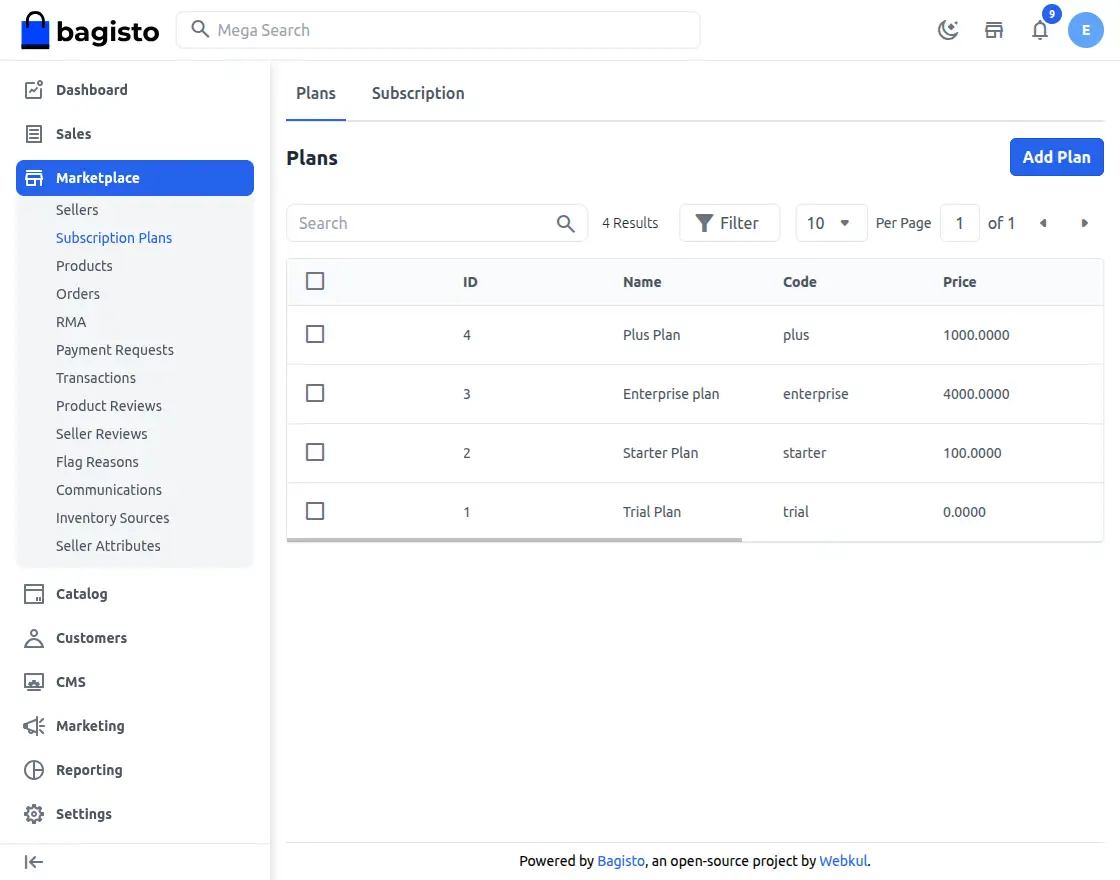
Step-1 Admins can easily see and handle all subscription plans from a special list page, where they can keep an eye on plan details, prices, status, and the sellers assigned to each plan, all in one central dashboard.
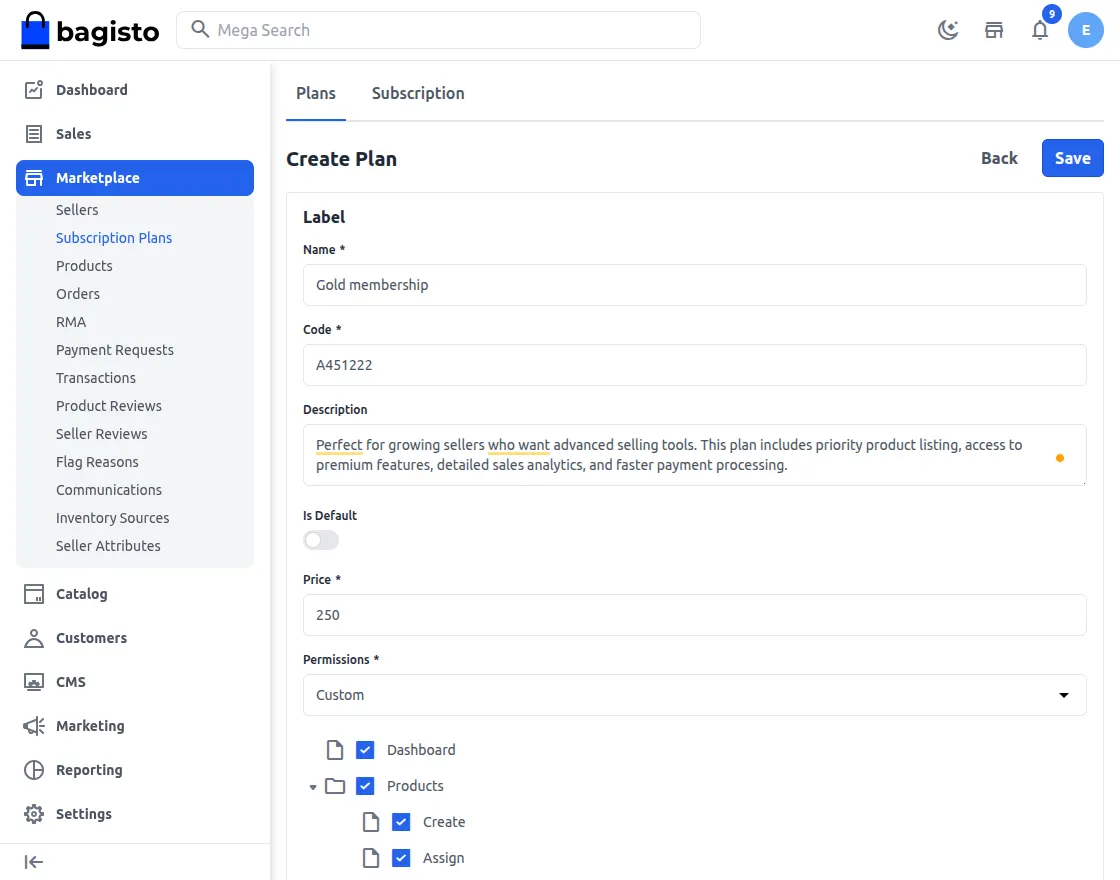
Step-2 Admins have the ability to create and change subscription plans by giving certain roles and permissions, making sure that sellers can only use the features that come with their chosen plan.
Step-3 Sellers have the option to buy a subscription plan that gives them complete permissions and lets them use all the features they need to run and expand their store successfully.
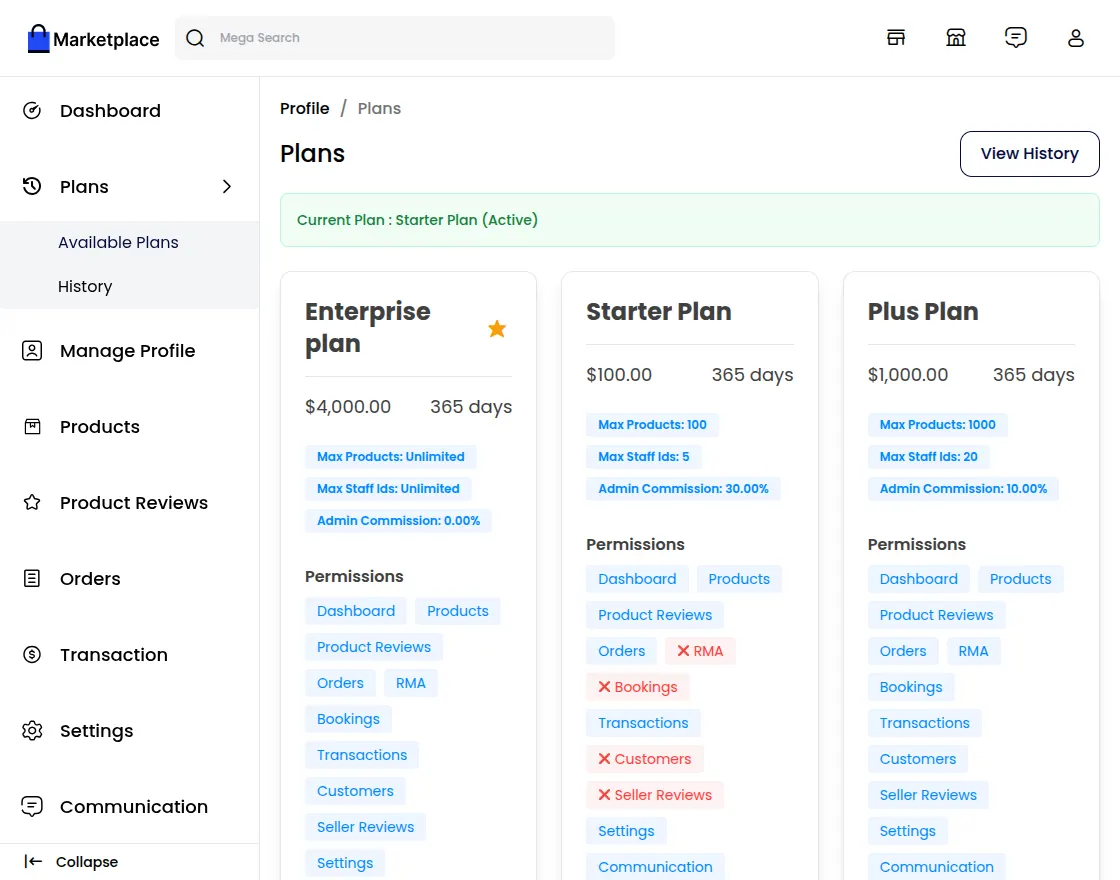
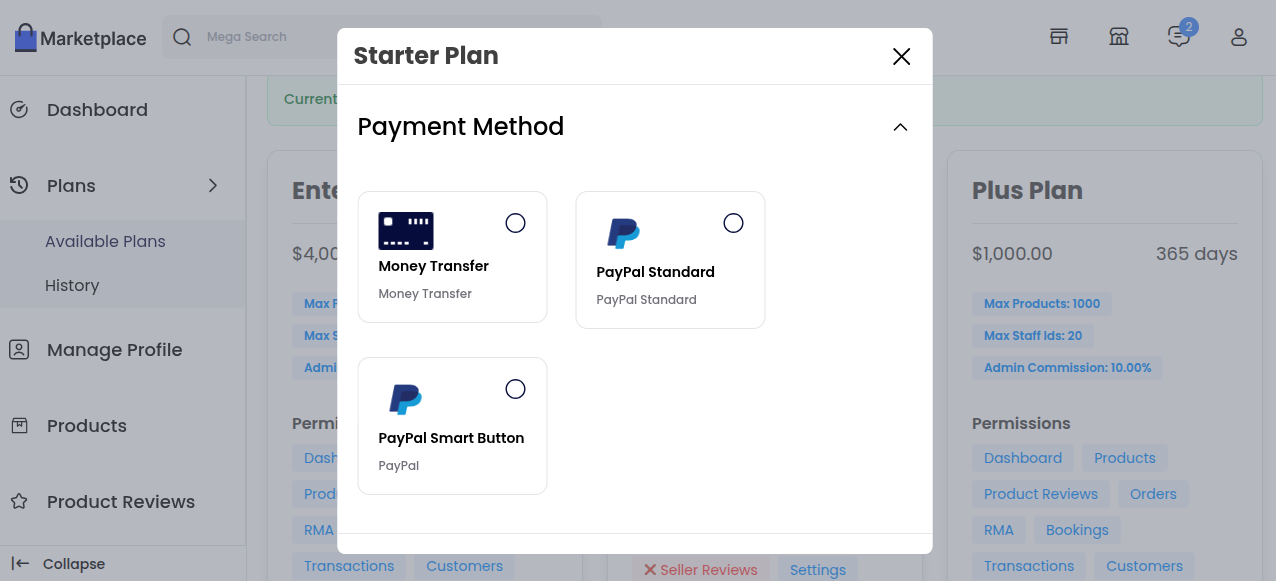
Step-4 Once the seller has selected a suitable option, they simply need to click on the subscription plan they are interested in and proceed with the payment.
The payment can then be completed using the available payment methods to successfully activate the chosen plan.
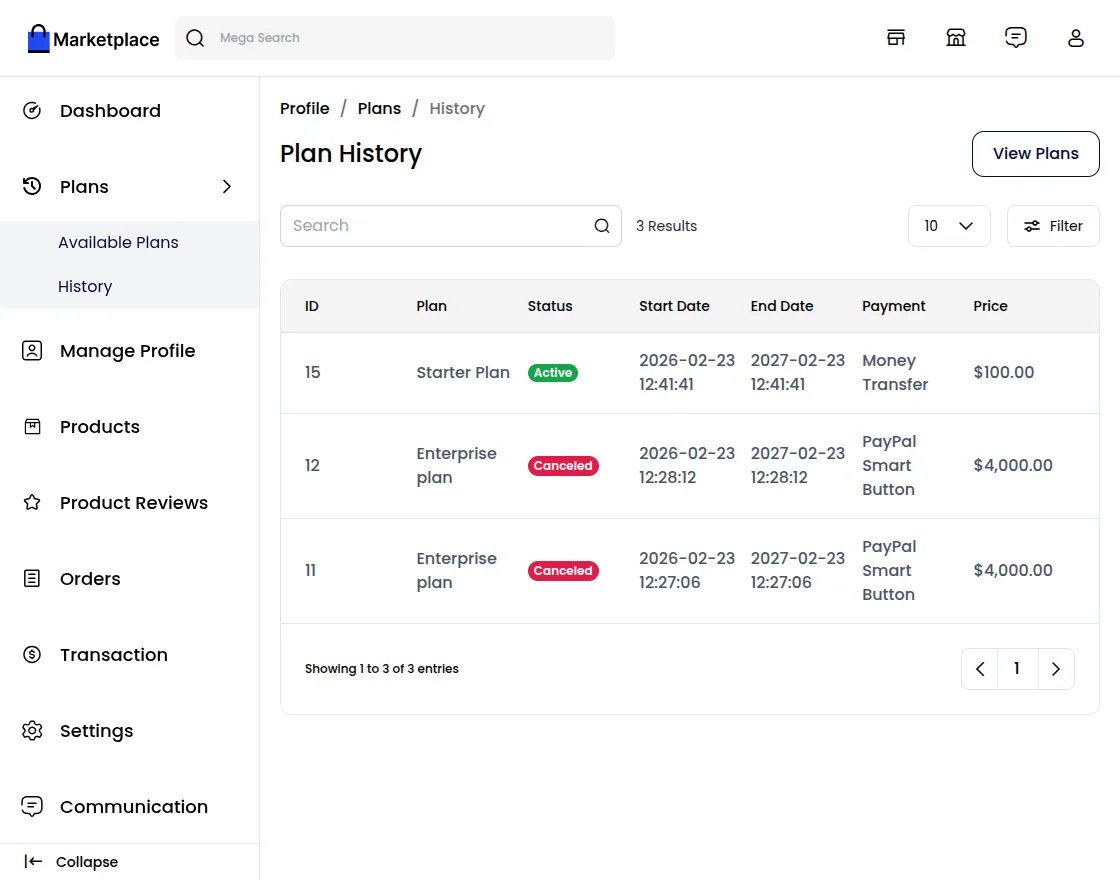
Step-5 Sellers have a special section in their panel called Subscription Plan History. This section helps them keep track of all the plans they have bought, showing details about each plan, its status, when it was activated, and when it will expire.
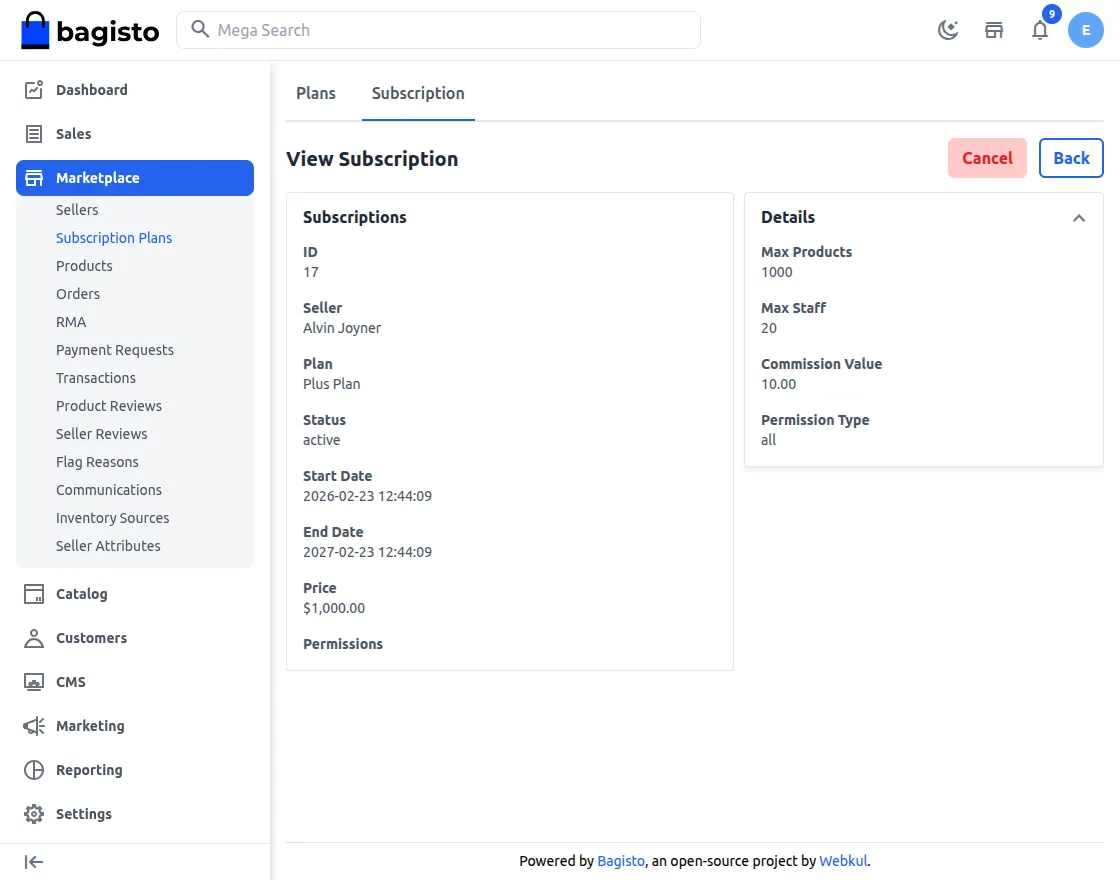
Step-6 Admins are able to see a full list of all the subscription plans that sellers have bought.
This includes details about the plans, the payment status, and how long they are valid for.
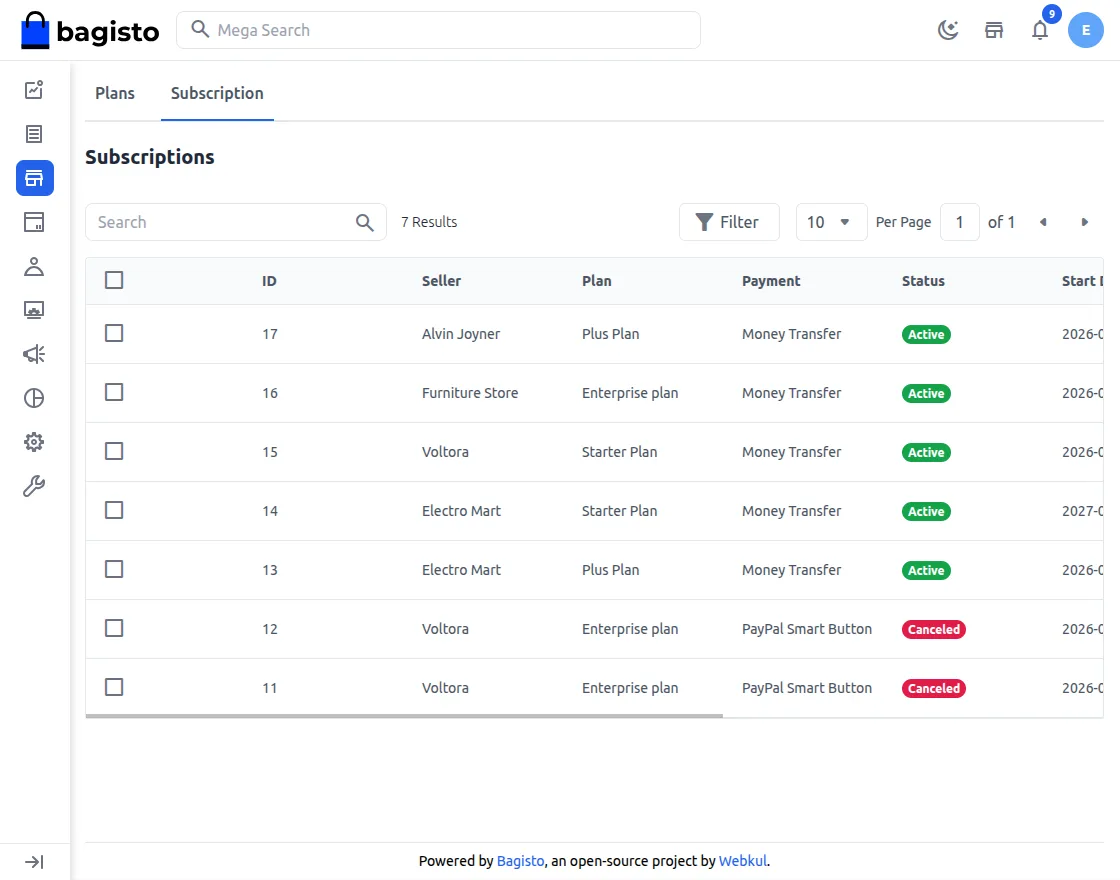
Step-7 Admins can change or stop a seller's subscription plan whenever they need to, which helps keep subscription management flexible and under control.