
Shipping Methods
Bagisto comes with two shipping methods, Free Shipping and Flat Rate Shipping. At checkout, shoppers choose from the methods that are switched on. Both are switched on in a new store.
Offer a shipping method
- Go to Configure >> Sales >> Shipping Methods.
- If your store has more than one channel or language, choose them at the top of the screen.
- In the method's section, switch Status on. Title, and for Flat Rate Shipping Rate, appear.
- Enter the Title shoppers see at checkout.
- Optionally, enter a Description.
- For Flat Rate Shipping, enter the Rate.
- For Flat Rate Shipping, choose the Type.
- Click Save Configuration.
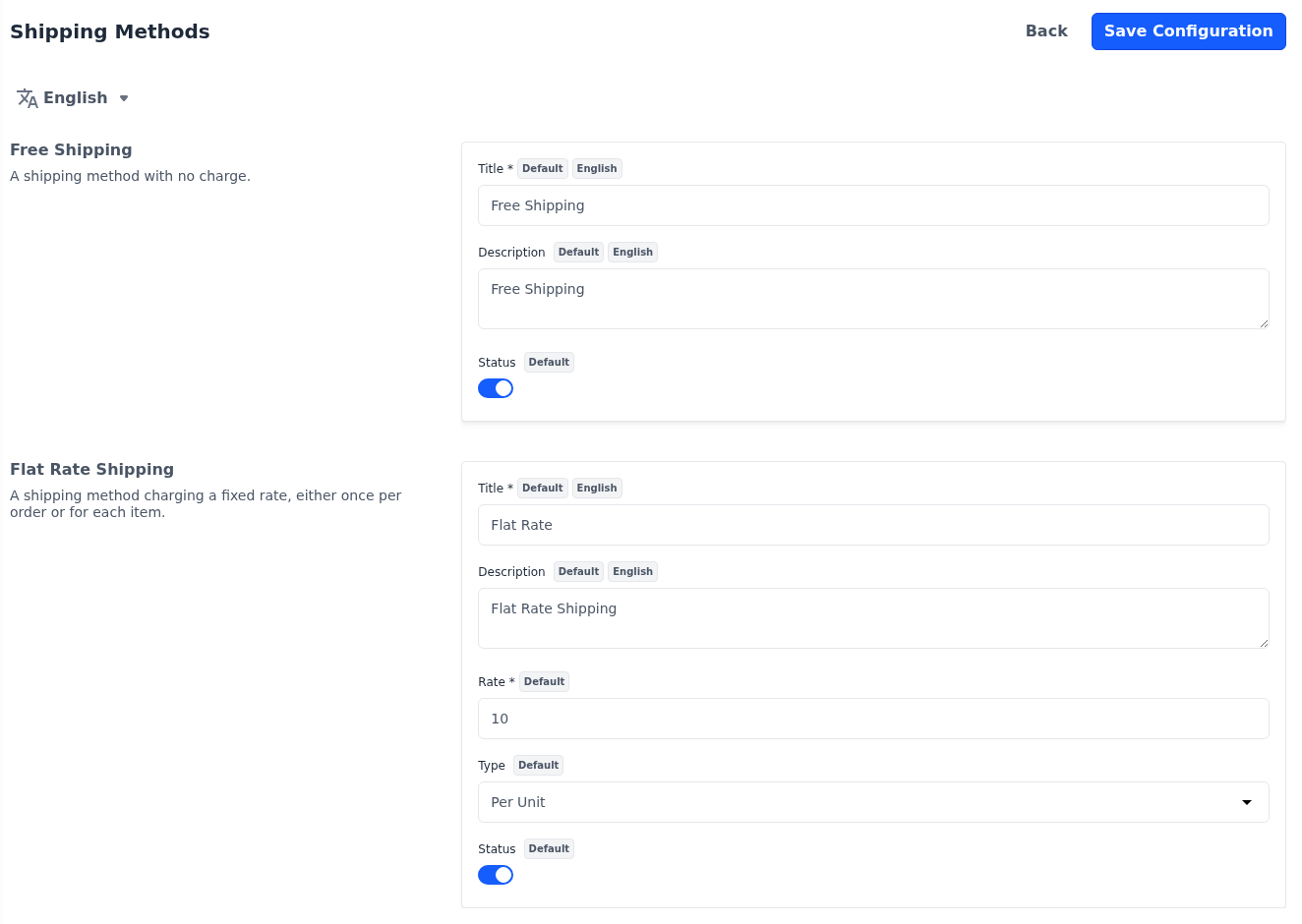
To stop offering a method, switch its Status off and save. At least one shipping method has to stay on: saving with both switched off shows Enable at least one shipping method. Title and Description are per channel and per language; the other settings are per channel.
At checkout, each method shows its title, its description and its price. So does the shipping estimate on the cart page, while Estimated Shipping is on under Checkout.
Free shipping
Free Shipping charges nothing for delivery.
Title: The name of the method at checkout, such as Free Shipping. Required while Status is on.
Description: A short line shown after the title.
Status: Offers the method at checkout.
Flat rate shipping
Flat Rate Shipping charges a fixed rate, either once per order or for each unit.
| Setting | What it does |
|---|---|
| Title | The name of the method at checkout, such as Flat Rate. Required while Status is on. |
| Description | A short line shown after the title. |
| Rate | The amount charged, in your store's base currency. Shoppers see it converted to the currency they shop in. Required while Status is on. |
| Type | Per Unit charges the rate for each unit of every shipped product in the cart, so three units cost three times the rate. Virtual, downloadable and booking products aren't counted. Per Order charges the rate once for the whole order. |
| Status | Offers the method at checkout. |
In a new store, Flat Rate Shipping charges a rate of 10 per unit.
The address orders are shipped from is set under Shipping Settings.