
Return Merchandise Authorization (RMA)
The Return Merchandise Authorization feature allows customers or guests to return products within a defined time period for a refund, replacement, or order cancellation. It provides a simple and structured return request process.
In the Multi Vendor Marketplace, RMA helps sellers and administrators handle return requests effectively from one location, ensuring clear communication and transparency throughout the return workflow.
Important — RMA is powered by Bagisto core. The RMA engine — the admin RMA configuration (channel/locale settings), Reasons, Rules, Statuses, Custom Fields, the admin Requests management screens, and the customer/guest storefront return-request flow — is now provided by Bagisto core's RMA / Returns module, not by the marketplace package. Please refer to the core RMA documentation for setting up reasons, rules, statuses, custom fields, and for how customers and guests raise return requests from the storefront.
The marketplace adds seller scoping on top of core RMA: each returned item is attributed to the seller who fulfilled it, and sellers get their own RMA management screen in the seller panel (described below).
Seller RMA Management
Sellers can view all RMA requests raised by customers or guests for their own products from the Sales → RMA section of the seller panel.
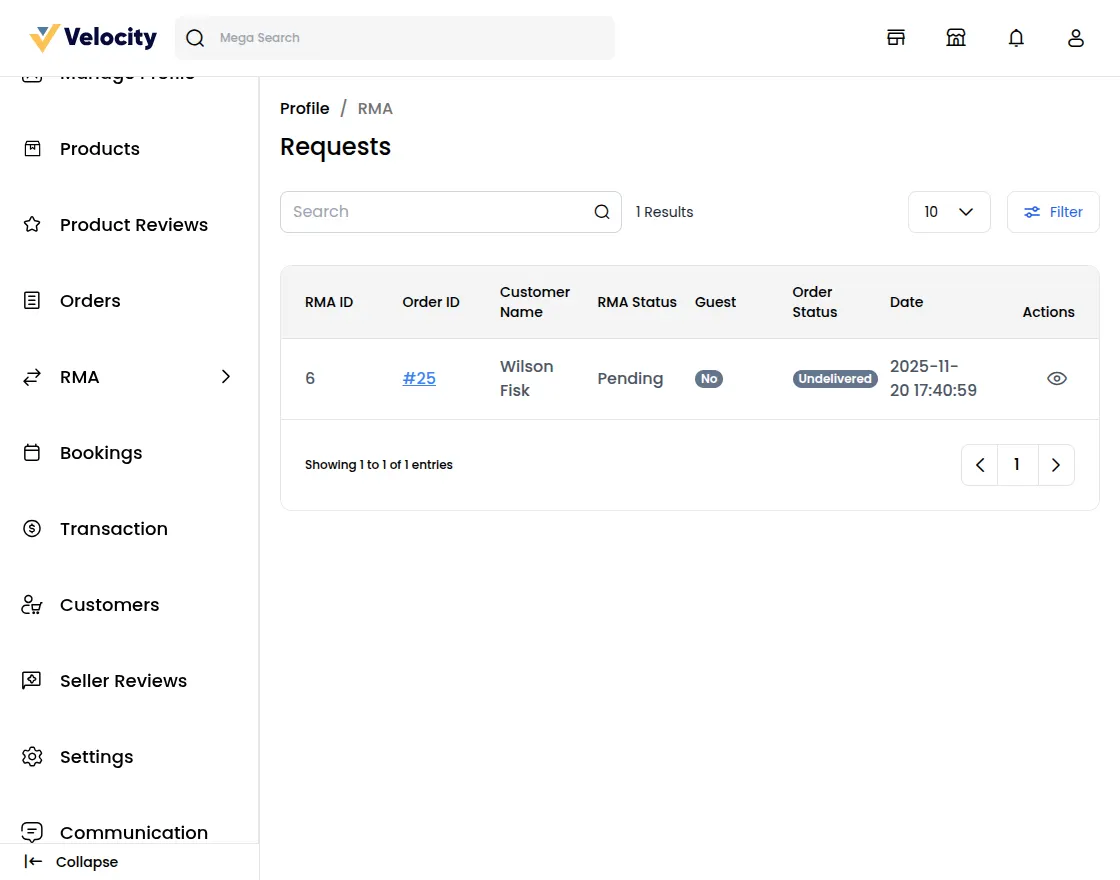
In this section, the seller can view each RMA request along with its RMA ID. To check the complete RMA details, the seller clicks on the view icon.
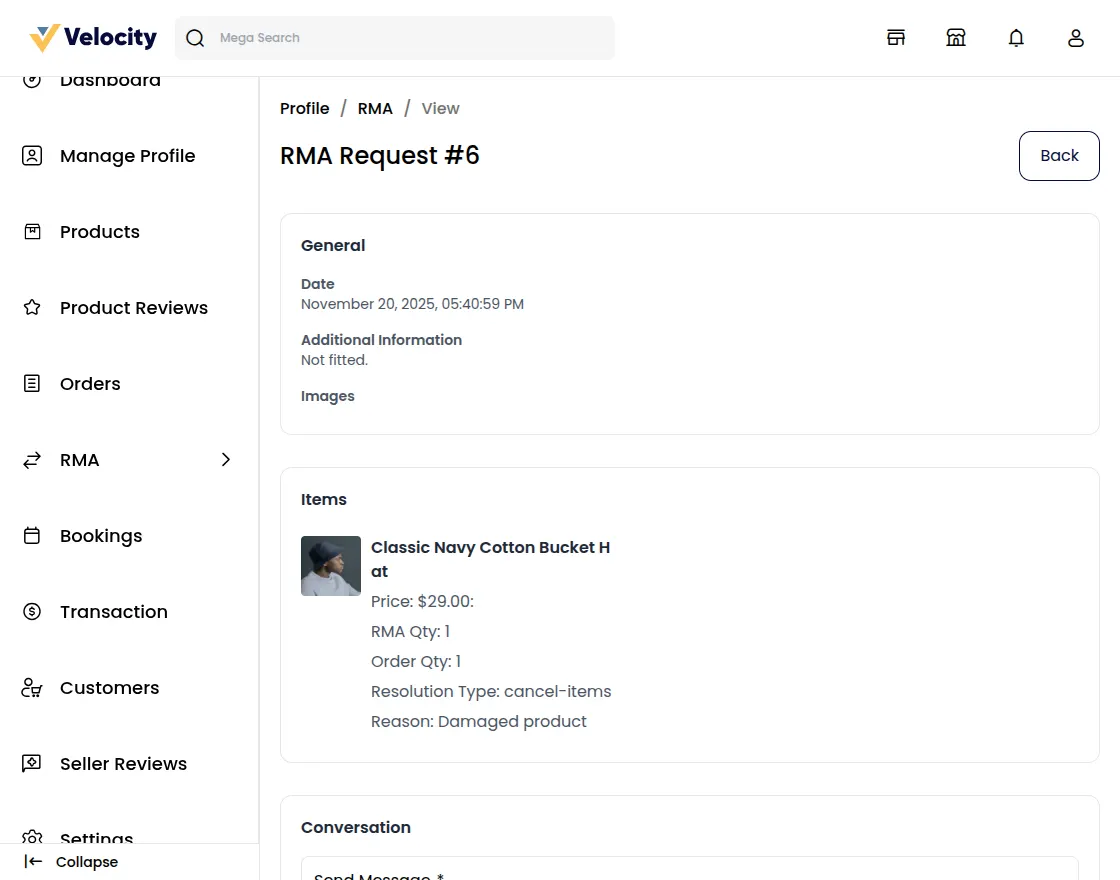
Using the Change RMA Status option, the seller can update the request status (for example Pending, Declined, or Item Cancelled). Under Status Details, the seller can also view the current RMA Status and the associated Order Status.
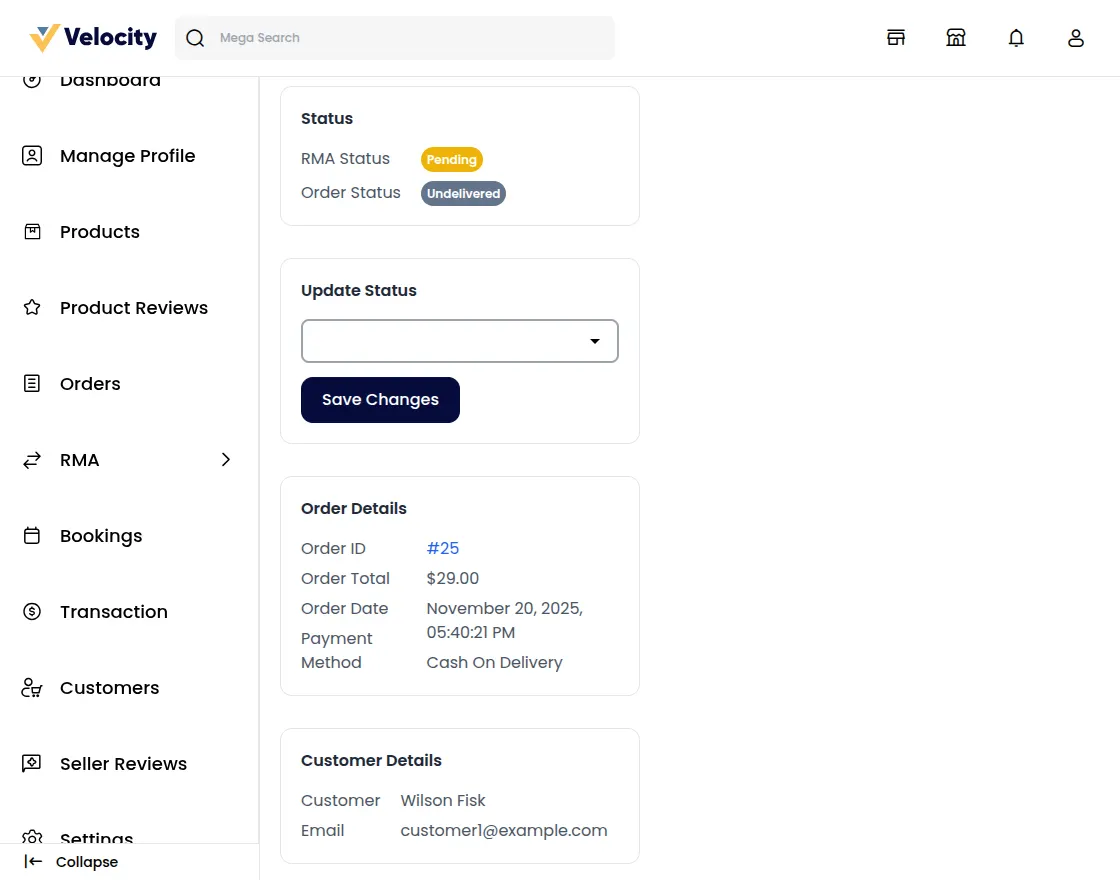
RMA Status
When a customer or guest creates a new RMA request, the default RMA status is set to Pending. After reviewing the request, the seller updates the RMA status based on the resolution type selected by the customer or guest (Refund, Cancel, or Exchange).
Refund
When the customer or guest selects Refund as the resolution type for a completed order, the seller can progress the request through these statuses:
1) RMA Request Accepted: The seller approves the request and changes the status to RMA Approved.
2) Package Received: Once the returned product is received, the status is updated to Received Package and the refund process is initiated.
3) Declined: If the seller rejects the request, this status is selected.
4) Solved: After the refund is successfully completed, the seller marks the request as Solved.
Cancel Items
When the customer or guest selects Cancel as the resolution type for a pending order, the seller can use the following statuses:
1) RMA Request Accepted: The seller approves the request and changes the status to RMA Approved.
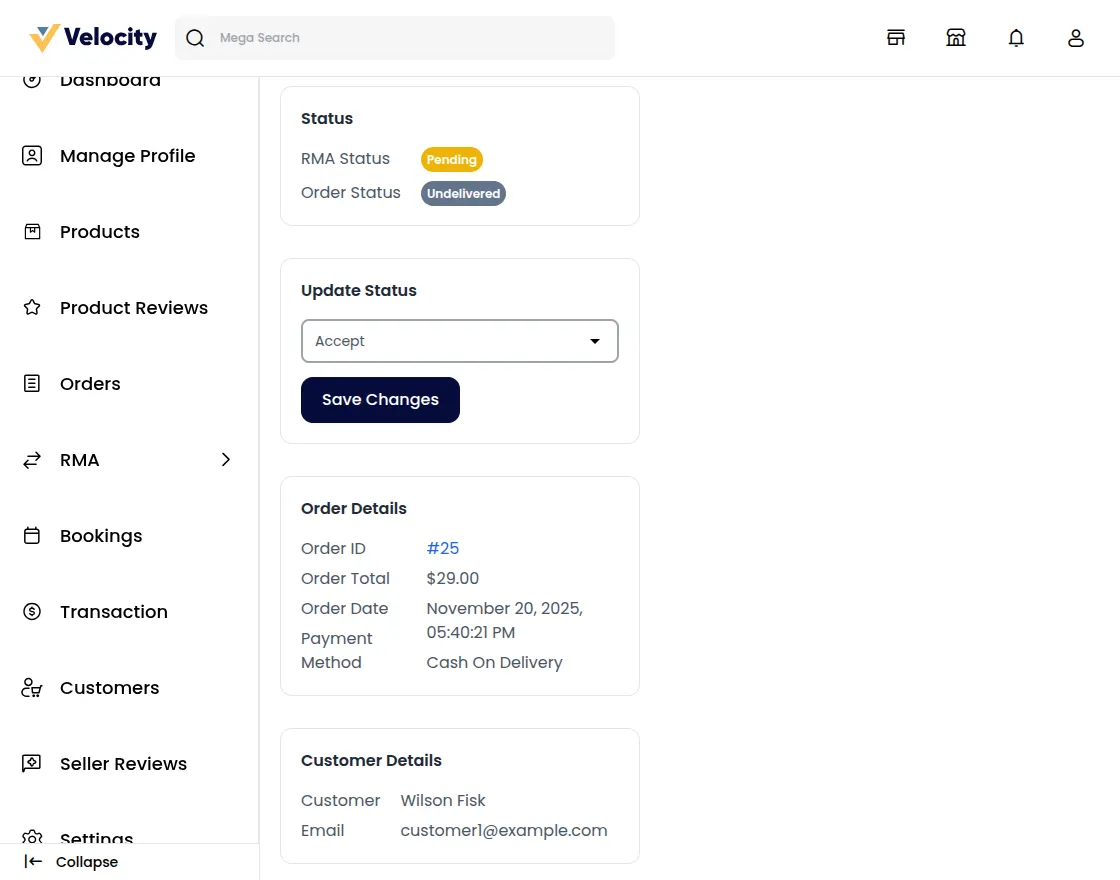
2) Declined: If the seller rejects the cancellation request, this status is selected.
3) Item Cancelled: Once the seller accepts the request and cancels the ordered item, this status is applied.
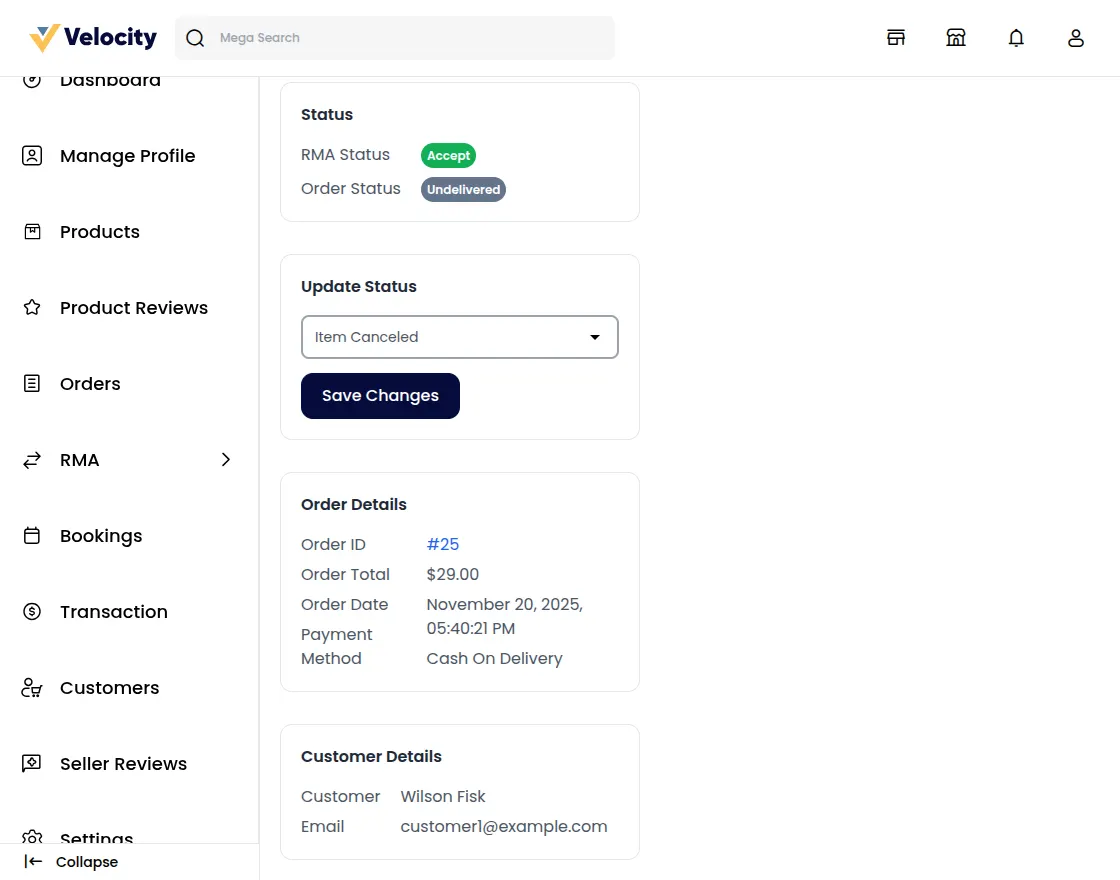
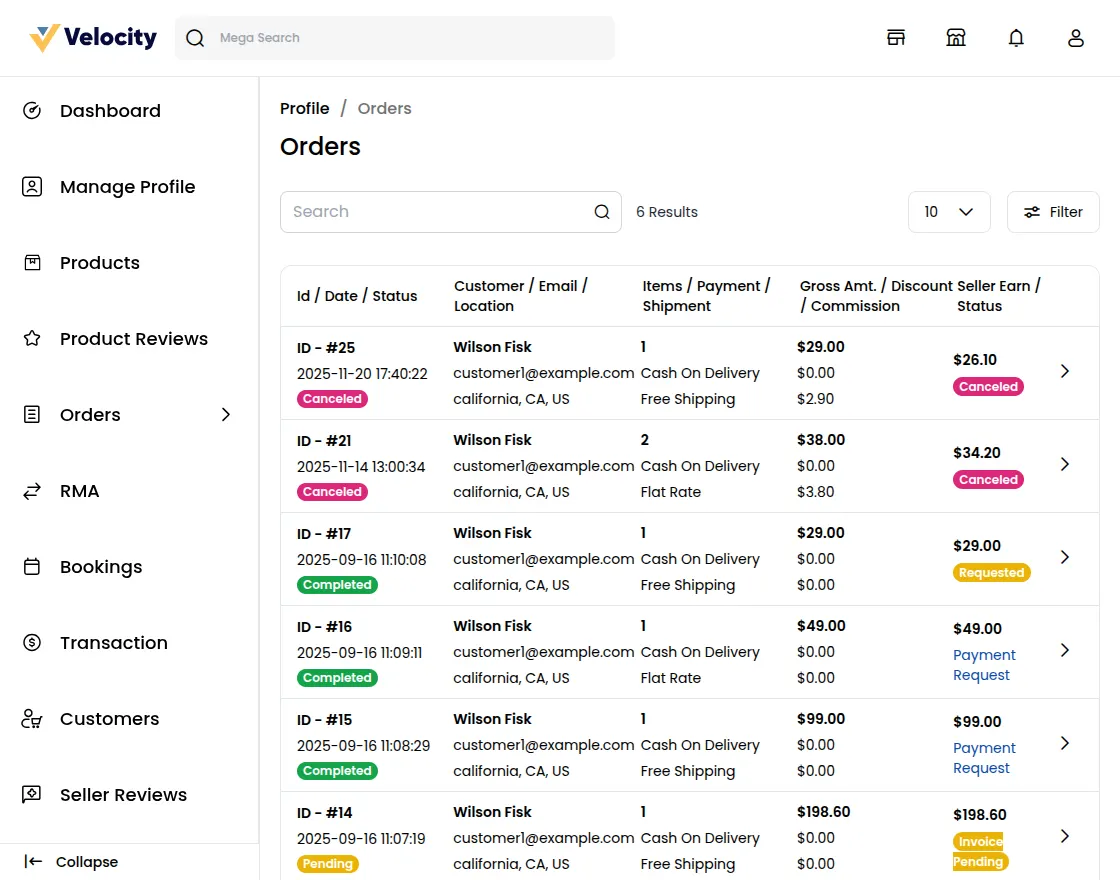
After selecting Item Cancelled and clicking Save Changes, the order is cancelled automatically.
Exchange
When the customer or guest selects Exchange as the resolution type for a pending order, the seller can update the RMA status as follows:
1) RMA Request Accepted: The seller approves the request and changes the status to RMA Approved.
2) Package Dispatched: When the seller ships the replacement product, this status is used.
3) Declined: If the seller rejects the exchange request, this status is selected.
4) Solved: After the customer or guest receives the exchanged product, the seller marks the RMA as Solved.
Note: The admin can review and manage the same return requests (with seller attribution) from Bagisto core's RMA / Returns section in the admin panel.