
Sitemap
A sitemap lists your storefront's pages so search engines can find and index them. The Sitemap screen decides whether sitemap files are generated and how many links each file holds. The sitemaps themselves are created under Marketing >> Search & SEO >> Sitemaps; see Sitemaps.
Both settings show the channel badge. When your store has more than one channel, give them the same values on every channel, starting with the default channel.
Settings
- Go to Configure >> General >> Sitemap.
- In Settings, switch Enabled on or off. It is on by default.
- Click Save Configuration.
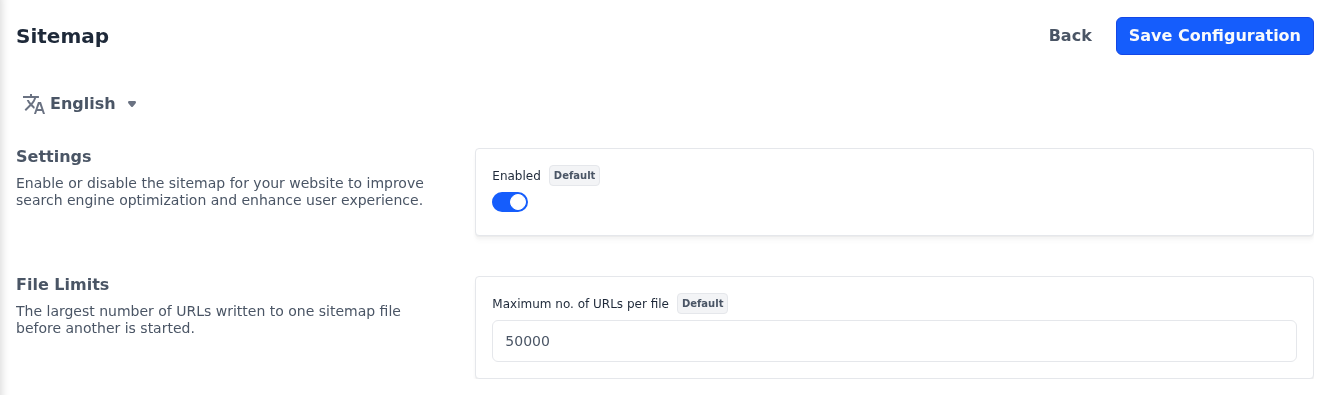
While Enabled is off, no sitemap files are generated, even for the sitemaps listed under Marketing >> Search & SEO >> Sitemaps.
File limits
- Go to Configure >> General >> Sitemap.
- In File Limits, enter the Maximum no. of URLs per file, a whole number of at least
1. The default is50000. - Click Save Configuration.
When a channel has more pages than that, its links are split across several files. Search engines accept up to 50,000 links in one file, so don't set it higher.