
RMA
These settings control return requests (RMA, return merchandise authorization): how long customers have to request a return, the return policy they read, the files that can be attached, whether a closed return can be reopened, and which product types can be returned. How returns are requested and handled is described in Return Merchandise Authorization (RMA).
Set up returns
- Go to Configure >> Sales >> RMA.
- If your store has more than one channel or language, choose them at the top of the screen.
- In RMA, set the options described below.
- Click Save Configuration.
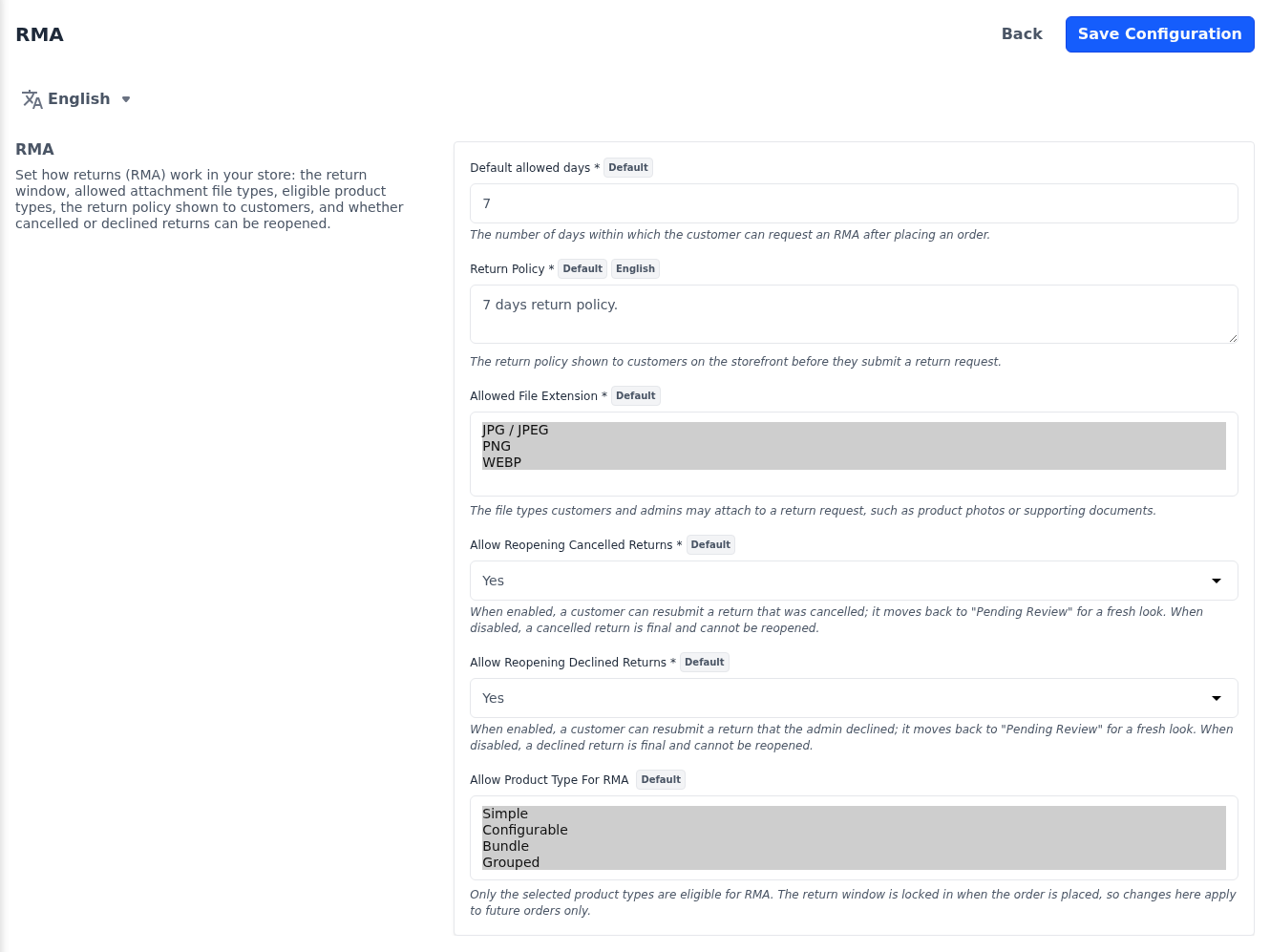
| Setting | What it does |
|---|---|
| Default allowed days | The number of days after an order is placed within which the customer can request a return, for products without an active RMA rule of their own. The default is 7. |
| Return Policy | The return policy customers read on the storefront before they submit a return request. The default is 7 days return policy. |
| Allowed File Extension | The file types customers and admins can attach to a return request, such as photos of the product: JPG / JPEG, PNG and WEBP. All three are allowed by default. |
| Allow Reopening Cancelled Returns | Yes, the default, lets an admin, or the customer while the return window is still open, reopen a return that was cancelled. It moves back to Pending Review. No makes a cancelled return final. |
| Allow Reopening Declined Returns | Yes, the default, lets an admin, or the customer while the return window is still open, reopen a return that was declined. It moves back to Pending Review. No makes a declined return final. |
| Allow Product Type For RMA | The product types that can be returned: Simple, Configurable, Bundle and Grouped. All four are selected by default. |
All settings are per channel, and Return Policy is also per language.
Which products can be returned
A product can be returned only when both of these are true:
- Its product type is selected in Allow Product Type For RMA.
- Allow RMA is switched on for the product on its edit page. It's off for new products, so switch it on for each product customers may return. See Products and Allow returns on a product.
Its return window is the return period of the active rule chosen in the product's RMA Rules field, or Default allowed days when it has none. RMA rules are managed under Sales >> RMA >> Rules.
When changes take effect
The return window, and whether a product can be returned, are fixed when the order is placed. Changes to Default allowed days, Allow Product Type For RMA, a product's Allow RMA or RMA Rules, or the rules themselves apply only to orders placed afterwards. Return Policy, Allowed File Extension and the two reopening settings take effect straight away.